

Put bookings on your website
Share your booking link, or embed the widget on your own site with a copy-paste snippet.
Guests can reach your booking page two ways: through the link Covers hosts for you, or through the widget embedded on your own website. The link works everywhere on its own, so start there; the embed is one snippet your web person pastes in once. Both stay up to date on their own; changes you publish reach them within a minute.
Share your booking link
Open the Widget page
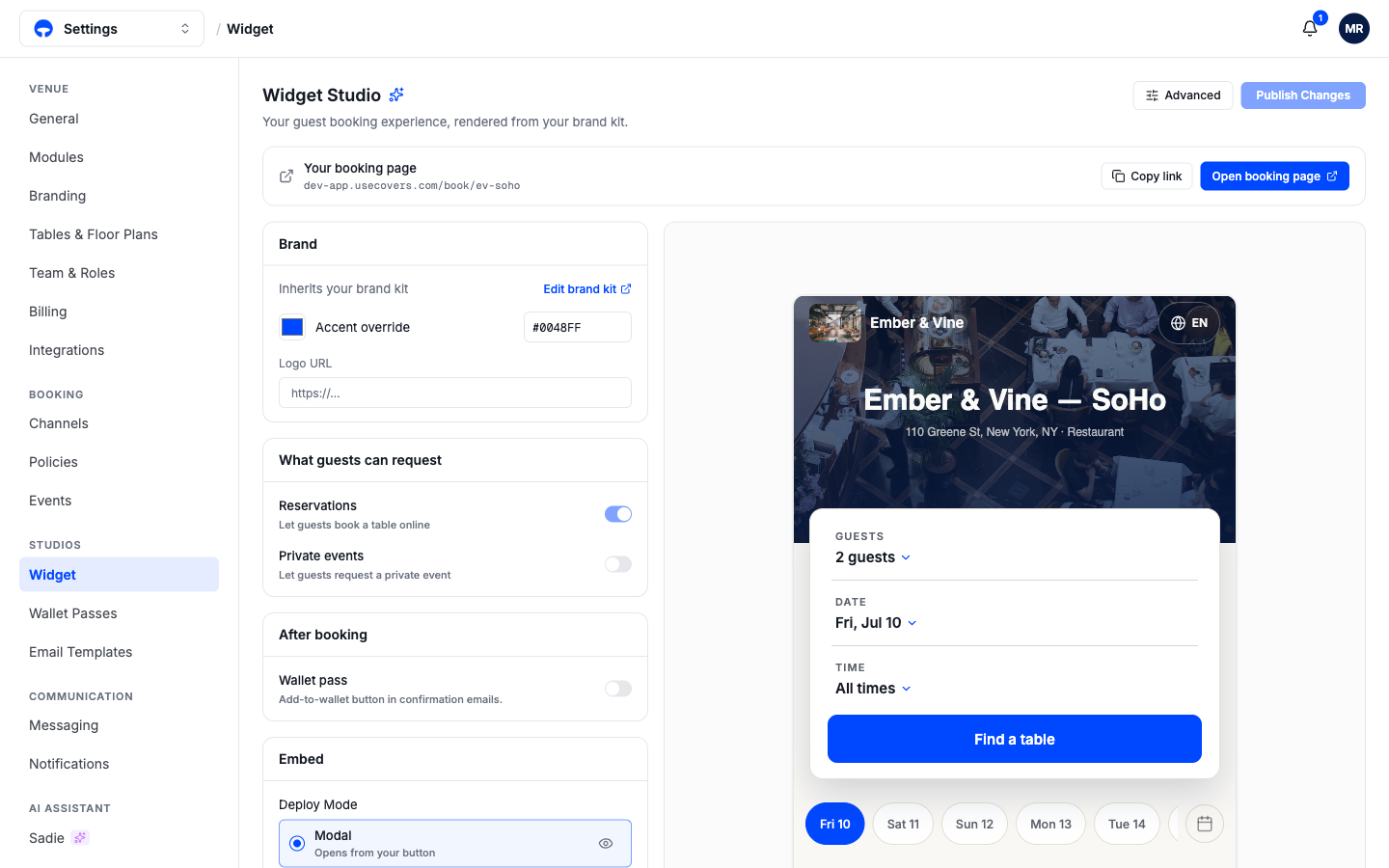
Open the menu at the top left, choose Settings, then click Widget under Studios. Your booking page address sits at the top, with a live preview of what guests will see beside the settings.
Copy the link
Click Copy link. Paste it anywhere guests find you: your Instagram bio, your Google Business Profile, a "Book a table" button on your site, or a text to a regular. Open booking page shows you exactly what guests get.
Embed the widget on your site
Scroll down to the Embed section on the same page. Pick how the widget should appear, then copy the code and send it to whoever runs your website; it pastes into any site builder that accepts HTML, including Squarespace, Wix, and WordPress.
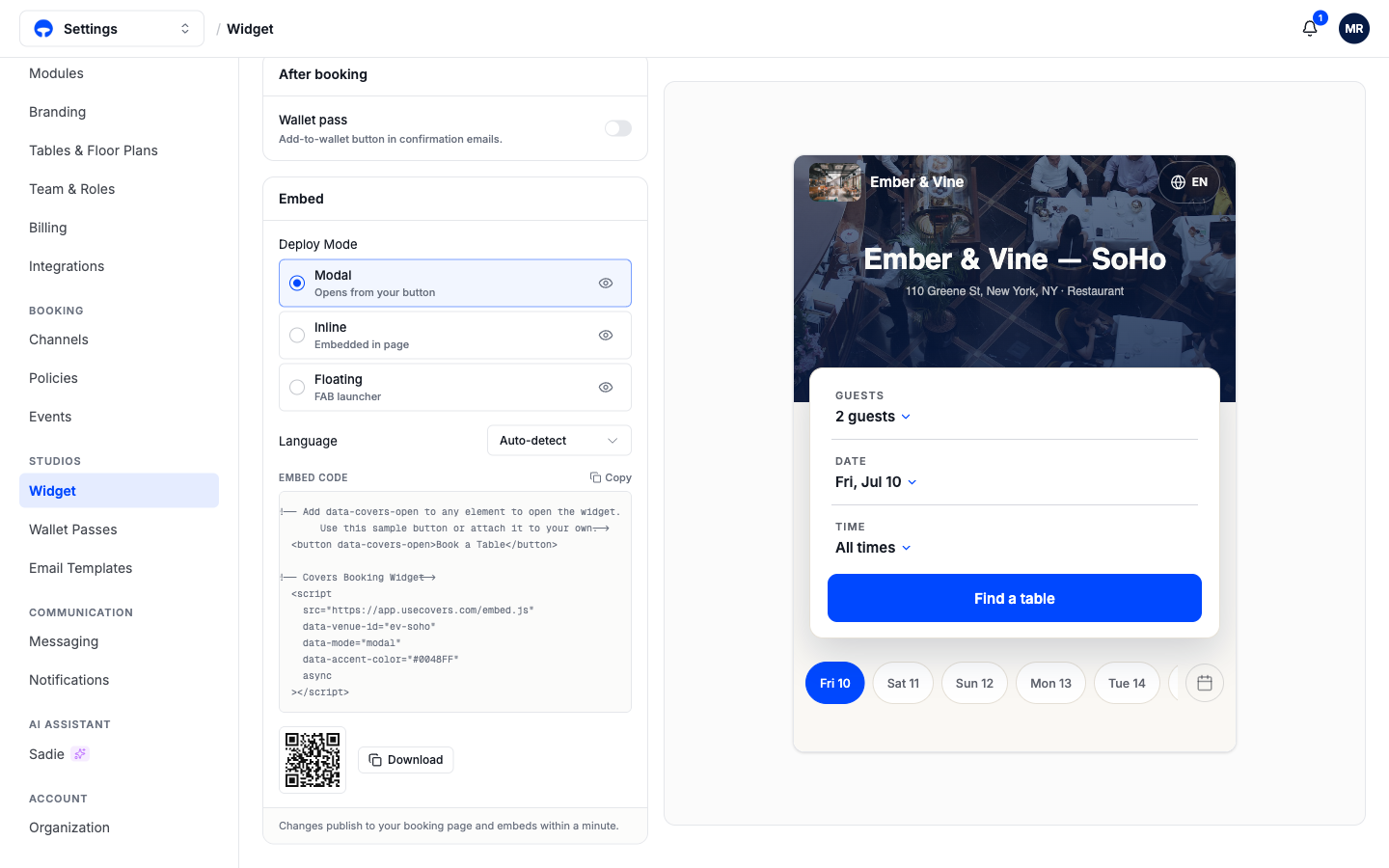
Modal opens the widget in a window when a guest clicks your own "Book a Table" button. Inline places the widget directly inside the page, always visible. Floating adds a small round button that sits in the corner of every page. The eye icon next to each mode previews it.
The Language setting controls what language the widget speaks; Auto-detect follows each guest's browser.
Print the QR code
Below the embed code, Covers generates a QR code that opens your booking page. Click Download and put it on table tents, the door, or a flyer; guests scan it with their phone camera and land straight on your times.