

Reply to a guest
Take over a conversation from Sadie, send your reply, and hand it back.
While Sadie is handling a conversation, the message box is locked so two people never answer the same guest. To reply yourself, you take the conversation over; when you are done, you hand it back and Sadie resumes. This page covers both moves, plus starting a brand-new message.
Take over and reply
Open the conversation
Click it in the inbox list. If Sadie flagged it, the row shows the red Needs human badge, and the thread may include Sadie's note on why she escalated along with a suggested reply you can send as-is.
Click Take over
The blue Take over button sits at the top of the thread. A green marker with your name appears in the conversation, the row's badge flips to You're handling, and the message box unlocks.
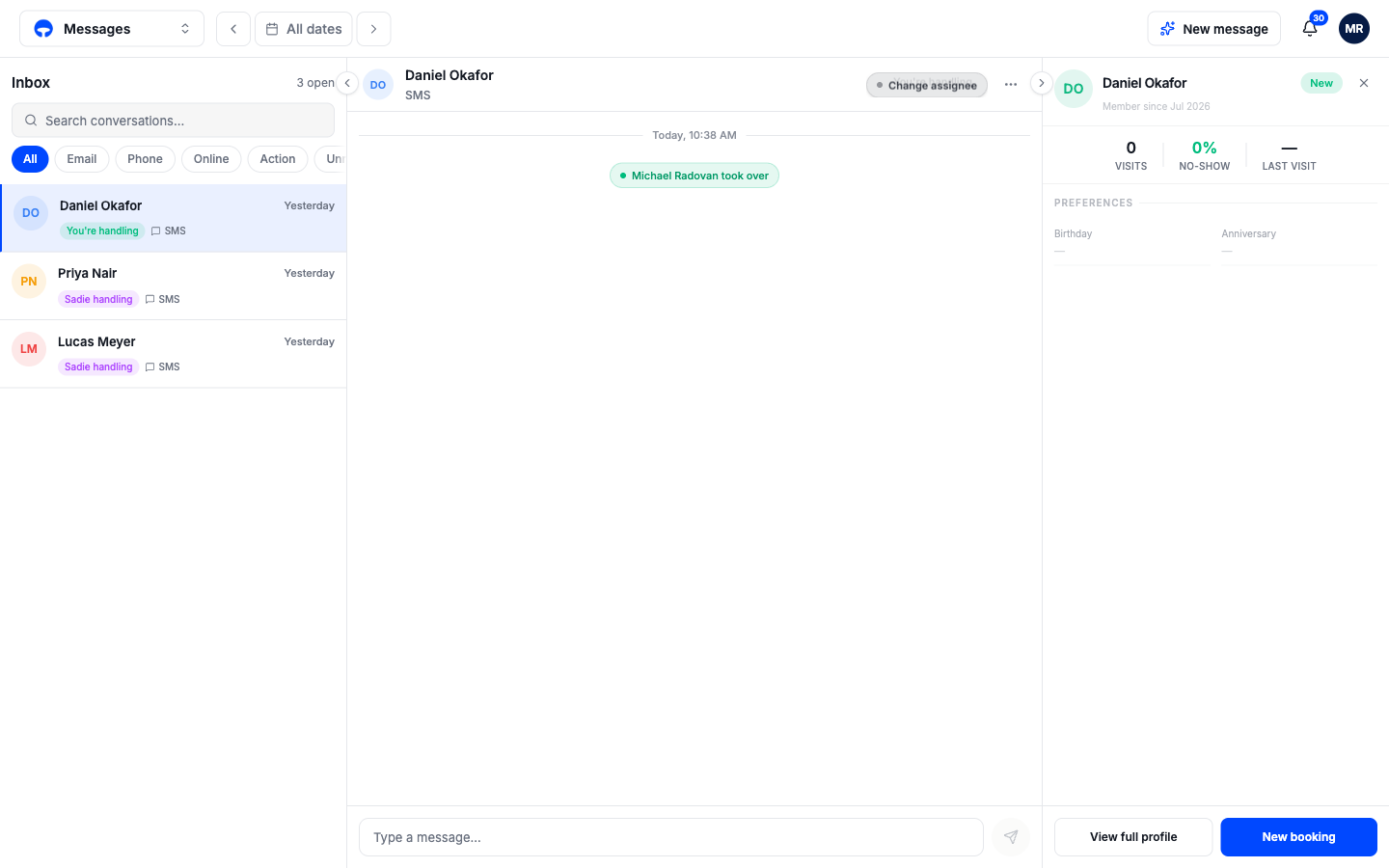
Type and send
Write in the message box and press Enter to send; Shift+Enter starts a new line. The guest receives it on the same channel they wrote in on, and your name is recorded as the sender.
Return the conversation to Sadie
Click the three dots at the top of the thread and choose Return to Sadie. A purple marker notes the handback, the message box locks again, and Sadie answers whatever the guest sends next.
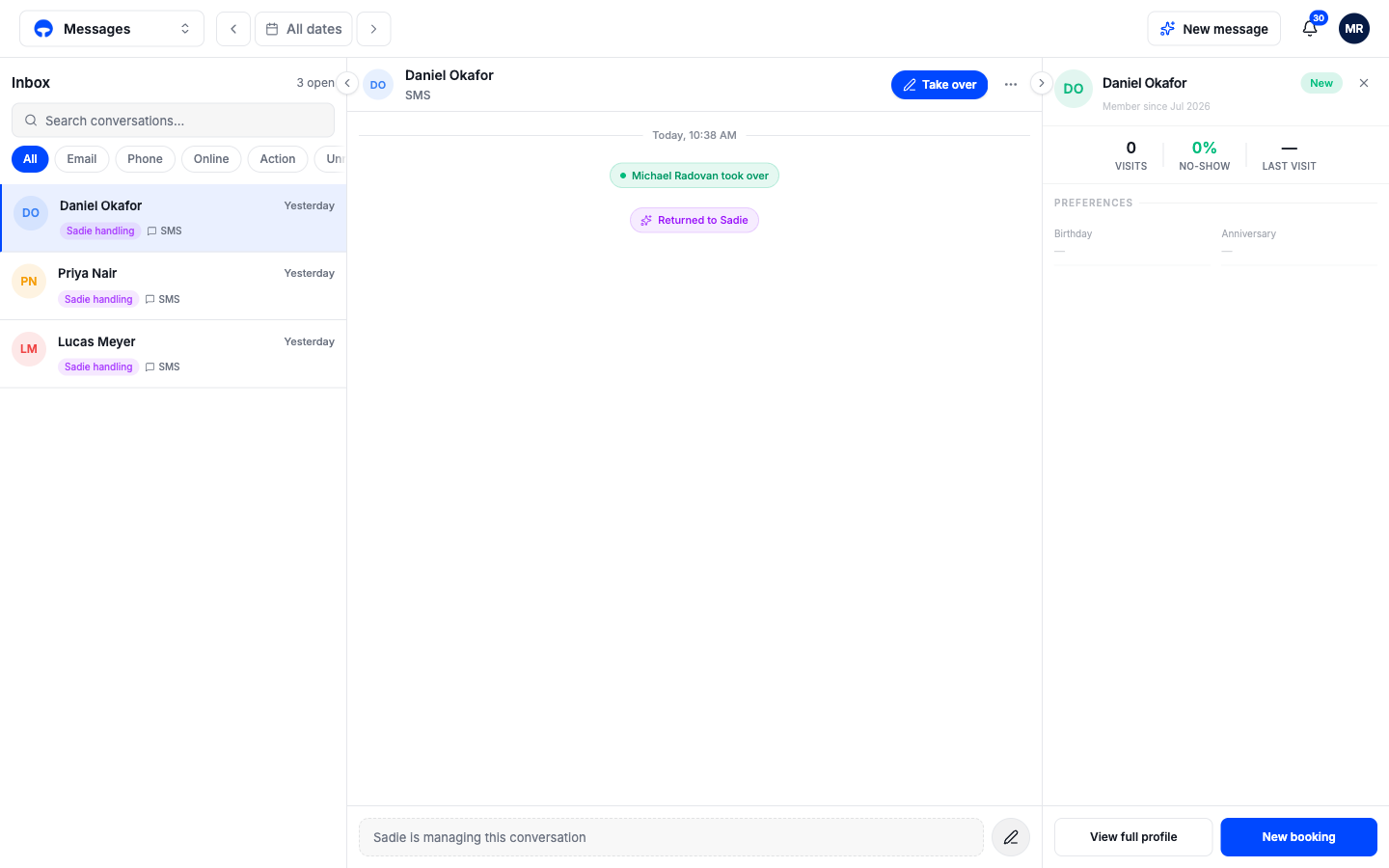
You can keep a conversation for as long as you like; nothing forces a handback. Return it to Sadie when you no longer want to watch it yourself.
Start a new message
To text a guest first, click New message at the top right of the page.
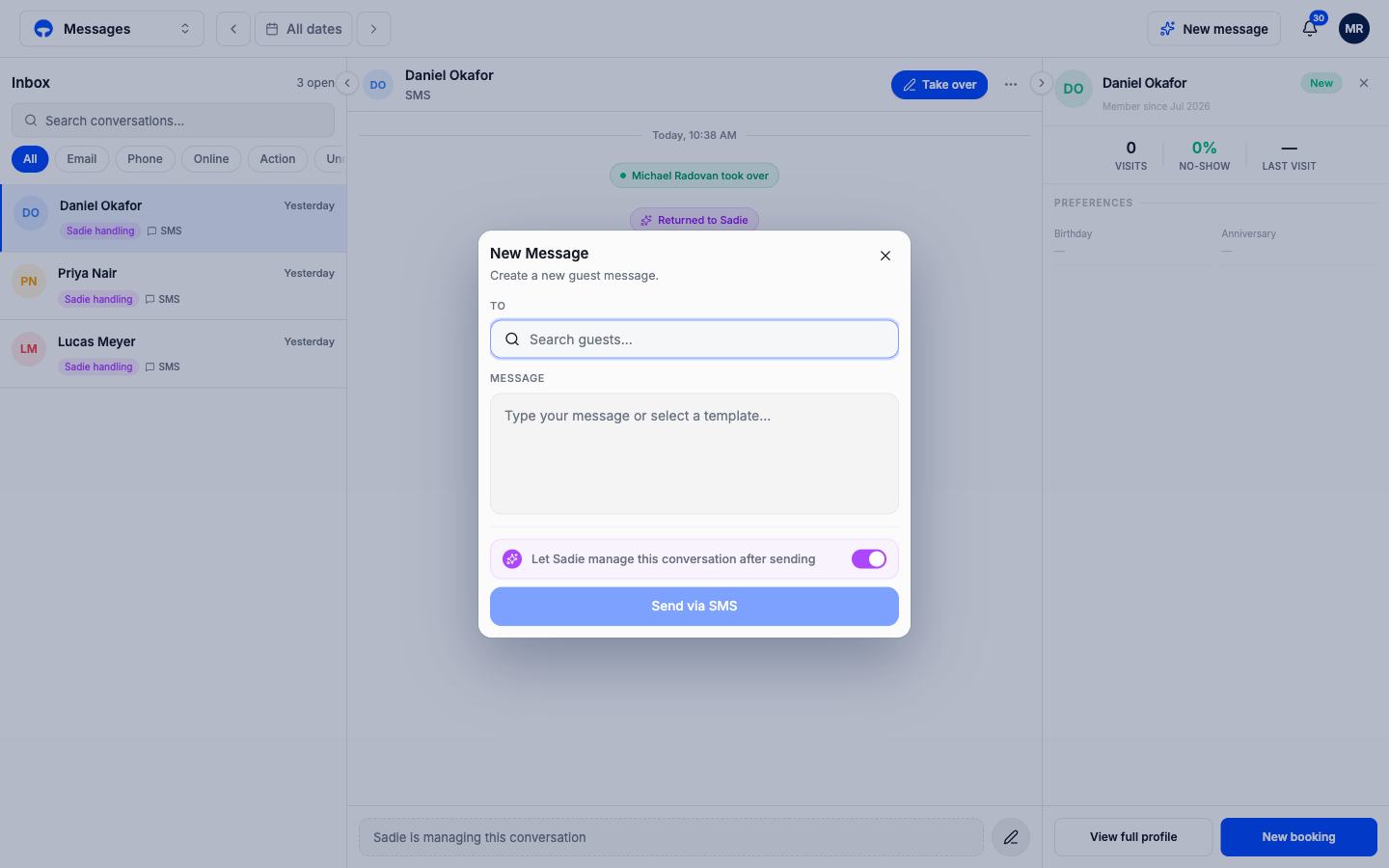
Search for the guest, type your message or pick a template, and click Send via SMS. The switch underneath, Let Sadie manage this conversation after sending, decides what happens when the guest replies: leave it on and Sadie takes it from there, switch it off and the replies come to you.