

The message inbox
Every guest text and call in one place, answered by Sadie until you step in.
Messages is where every guest conversation lives: booking texts, questions, and phone calls, across SMS and your other channels. Sadie, the Covers AI host, answers most of them on her own; confirmations, reminders, and common questions never reach you. You step in only when a conversation needs a human, so the inbox stays quiet on a busy night.
Reading the inbox
The page has three columns: conversations on the left, the open thread in the middle, and the guest's profile on the right.
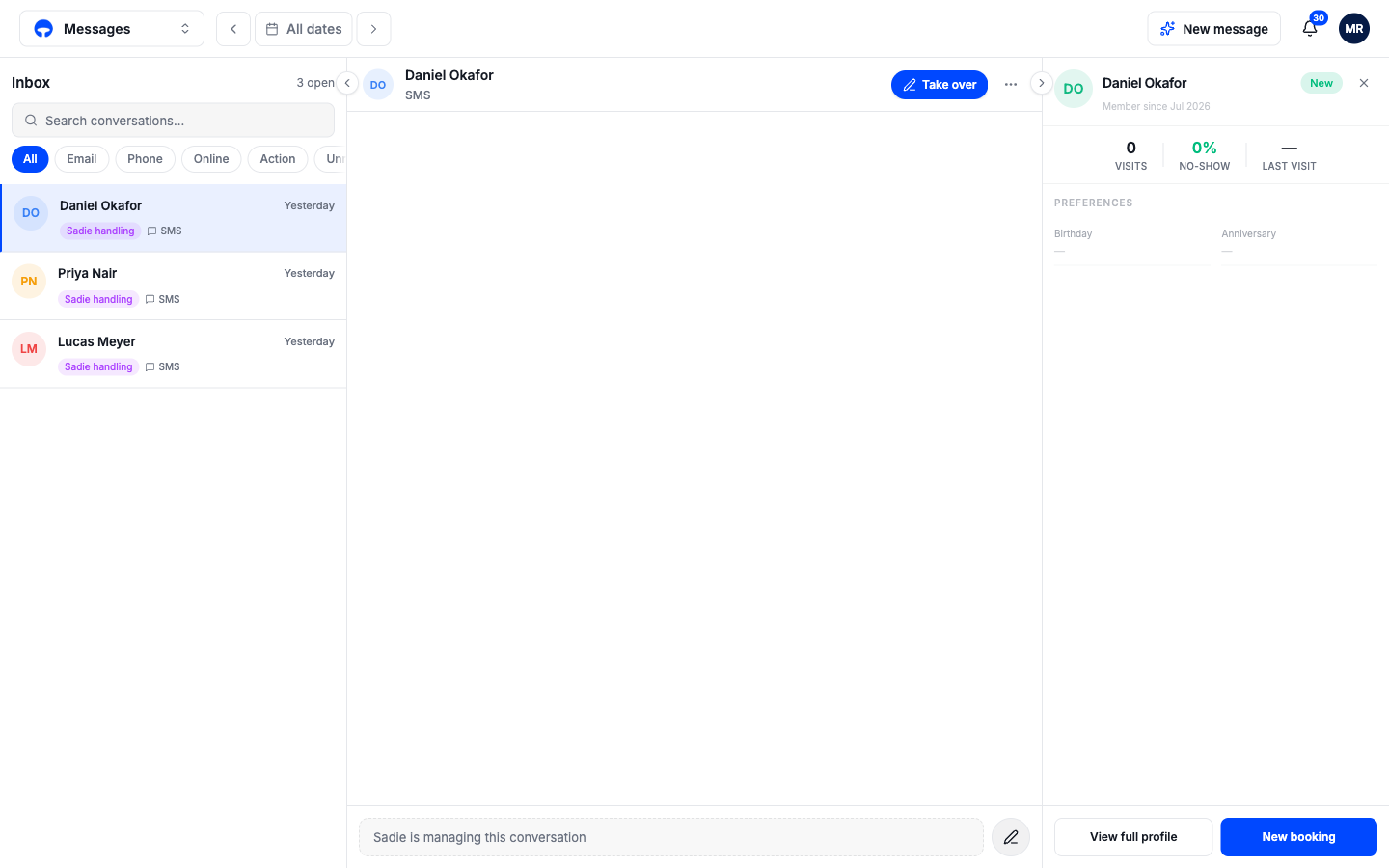
Each conversation row carries a badge that tells you who is on it:
- Sadie handling, purple: Sadie is answering. You can read along, but nothing needs you.
- Needs human, red: Sadie hit something she cannot resolve and is asking you to take over.
- You're handling, green: a person on your team has taken the conversation.
- Sadie completed, purple: the conversation is finished and Sadie closed it out.
The chips above the list filter it: by channel with Email, Phone, and Online, or by state with Action for everything that needs a human, Unread, and Tonight for conversations tied to tonight's service. The Action chip carries a red count, so a glance at the top of the page tells you if anything is waiting.
Phone calls land here too
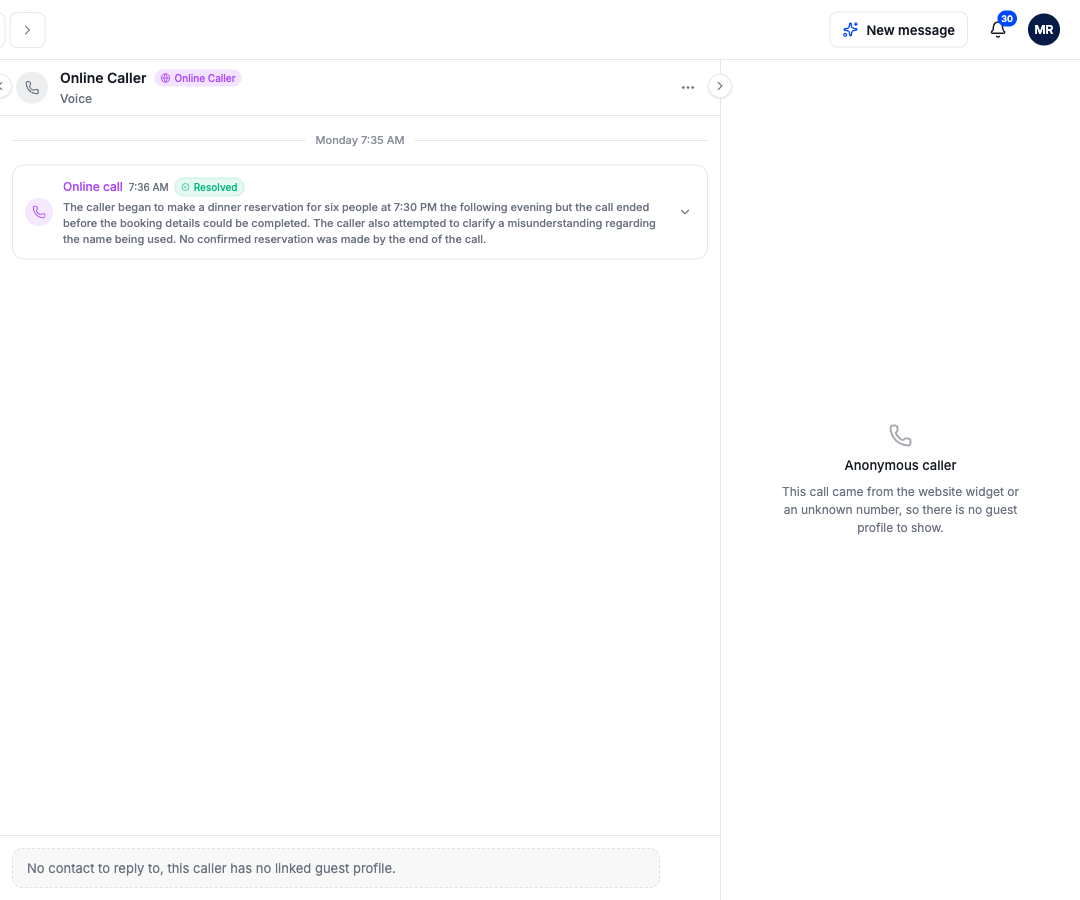
When Sadie answers your phone, the call becomes a conversation like any other. The thread shows a call card with what was discussed and how it ended; click it to expand the details. Callers who could not be matched to a guest show as Online Caller in the thread; their guest panel reads Anonymous caller, since there is no profile to show.
The guest panel
The right-hand column shows the guest behind the open conversation: visits, no-show rate, preferences, and recent bookings. View full profile jumps to their entry in the guest book, and New booking starts a reservation for them without leaving the inbox, which is the fast path when a guest texts "any chance of a table tonight?"