

Organize your inbox
Snooze conversations, assign them to teammates, and mark them done.
An inbox only helps if it stays short. The three-dot menu at the top of every thread holds the housekeeping moves: put a conversation off until later, hand it to the right teammate, or close it out. None of them message the guest; they only change how the conversation sits in your list.
The thread menu
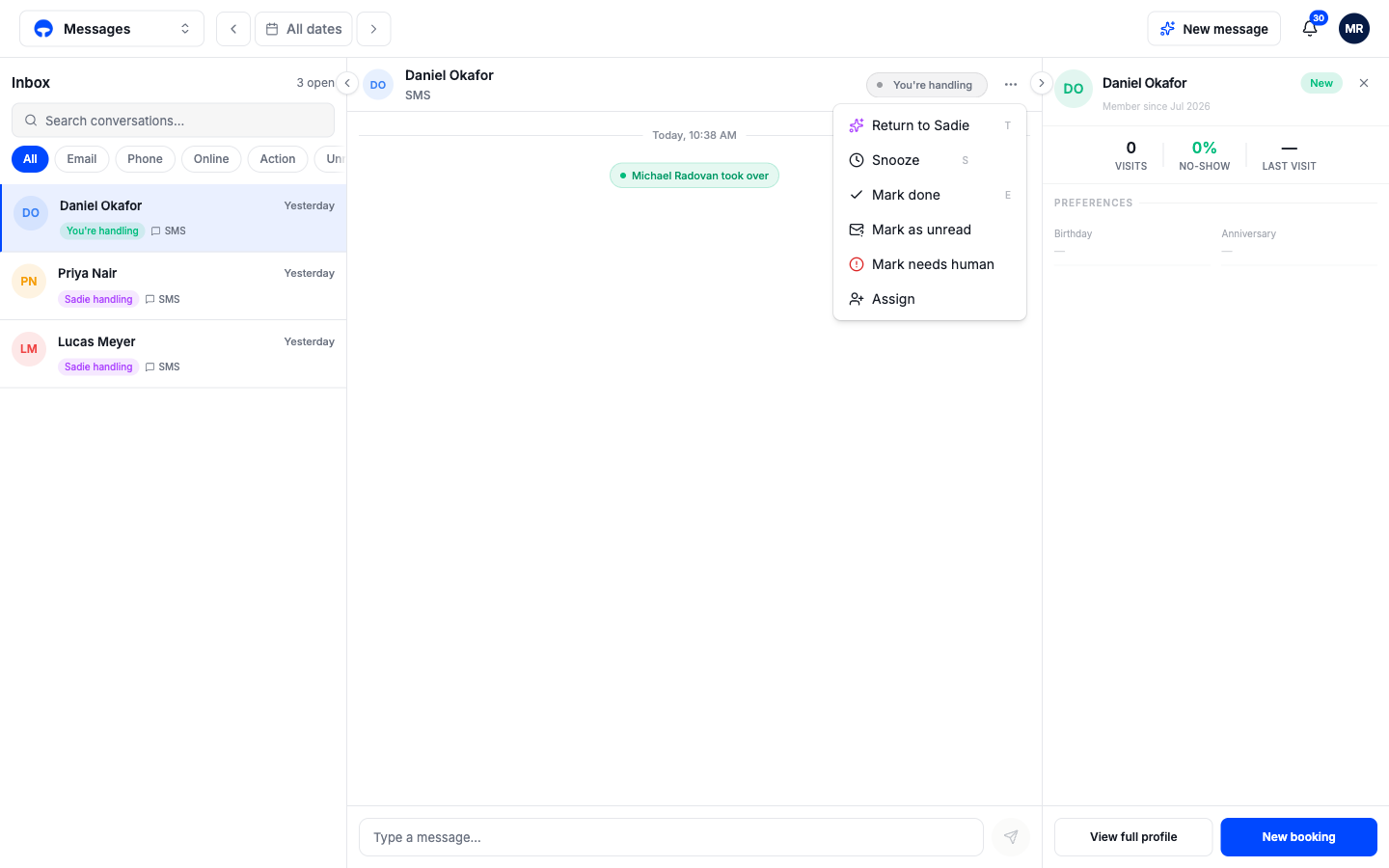
- Snooze hides the conversation from your action filters for an hour, three hours, or until tomorrow at 9:00. It stays findable under All with a small clock, and it wakes early if the guest writes back.
- Mark done closes the conversation. It moves out of the open count; a new message from the guest reopens it.
- Mark as unread puts the blue dot back so you, or the next person in, knows to look again.
- Mark needs human flags the conversation red, the same state Sadie uses when she escalates. Use it to wave a teammate over to something you spotted.
- Assign hands the conversation to a named teammate. They get a notification, and the thread shows who owns it. Choosing Return to Sadie under Assign gives it back to the AI.
Work the Action filter
The Action chip above the list filters to everything waiting on a human, with a red count of how many. A workable rhythm: open Messages, click Action, and clear it to zero by replying, snoozing, or assigning each one. Everything the filter hides is already being handled by Sadie.
Keyboard shortcuts
With a conversation open, the menu shows the shortcut next to each action: T returns to Sadie, S snoozes, E marks done. J and K move down and up the conversation list, and Enter sends your reply.