

Voice and greeting
Pick how Sadie sounds, write her opening line, and tell her about your restaurant.
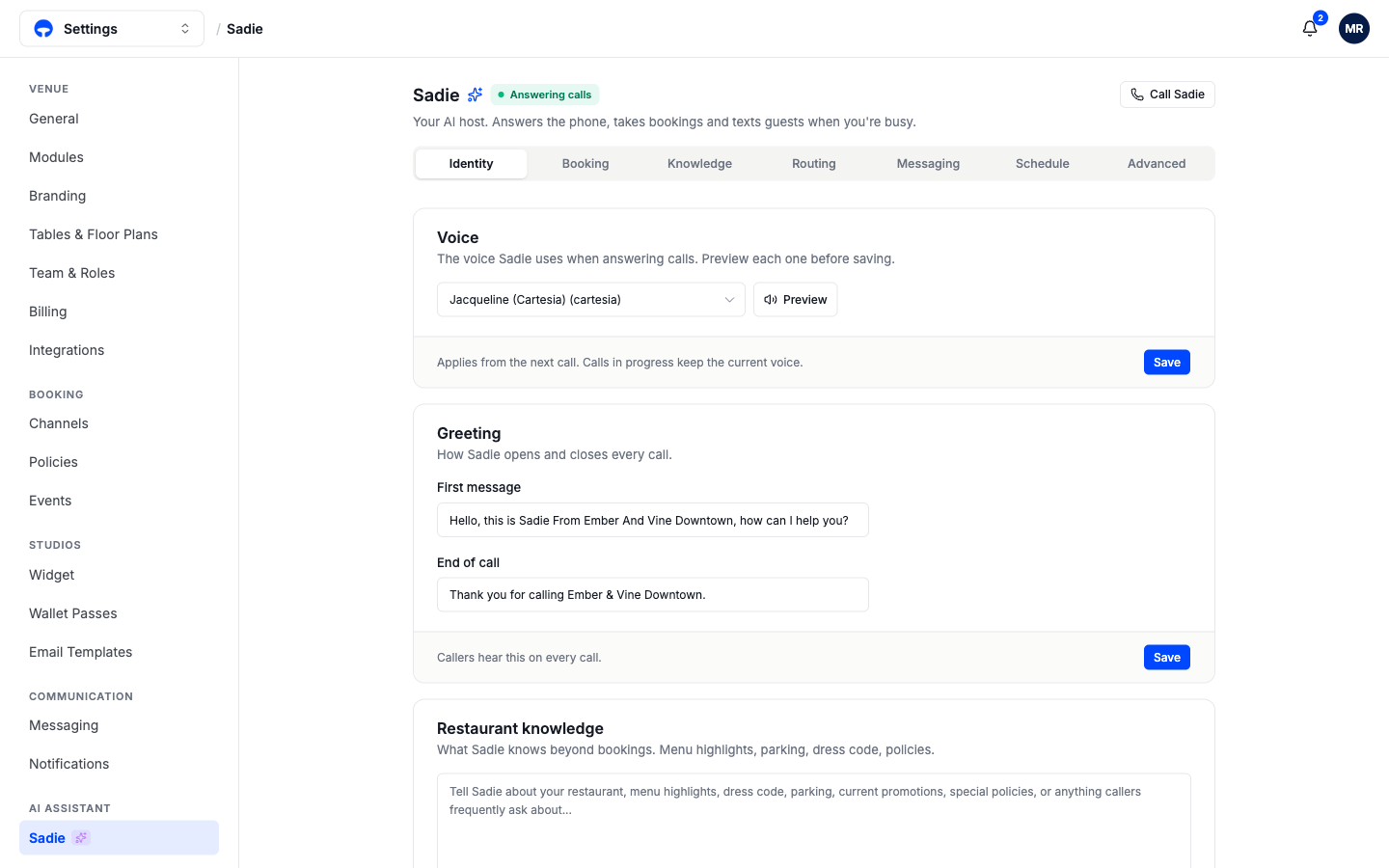
The Identity tab decides the first impression Sadie makes: the voice callers hear, the words she opens and closes with, and what she knows about your restaurant beyond bookings. Open Settings, then Sadie; Identity is the first tab.
Pick a voice
Choose a voice from the list and click Preview to hear it before saving. A saved voice applies from the next call; calls already in progress keep the voice they started with.
Write the greeting
First message is the first thing every caller hears, so keep it short and name your venue: "Hello, this is Sadie from Ember & Vine, how can I help you?" End of call closes every conversation. Both fields are your exact words; Sadie says them as written.
Tell her about your restaurant
The Restaurant knowledge box is free text Sadie draws on when callers ask about anything beyond bookings: menu highlights, parking, dress code, current promotions, special policies. Write it the way you would brief a new host on their first shift. The more concrete it is, "complimentary valet at the front, public garage on 2nd Street", the better her answers.
For structured question-and-answer material, menus as documents, and the common-questions checklist, use the Knowledge tab; see Knowledge and texts.
Check your work
Click Call Sadie at the top right and listen to the greeting and a question or two. What you hear is exactly what guests get.