

Booking rules
Control what Sadie offers callers and what she collects before confirming a table.
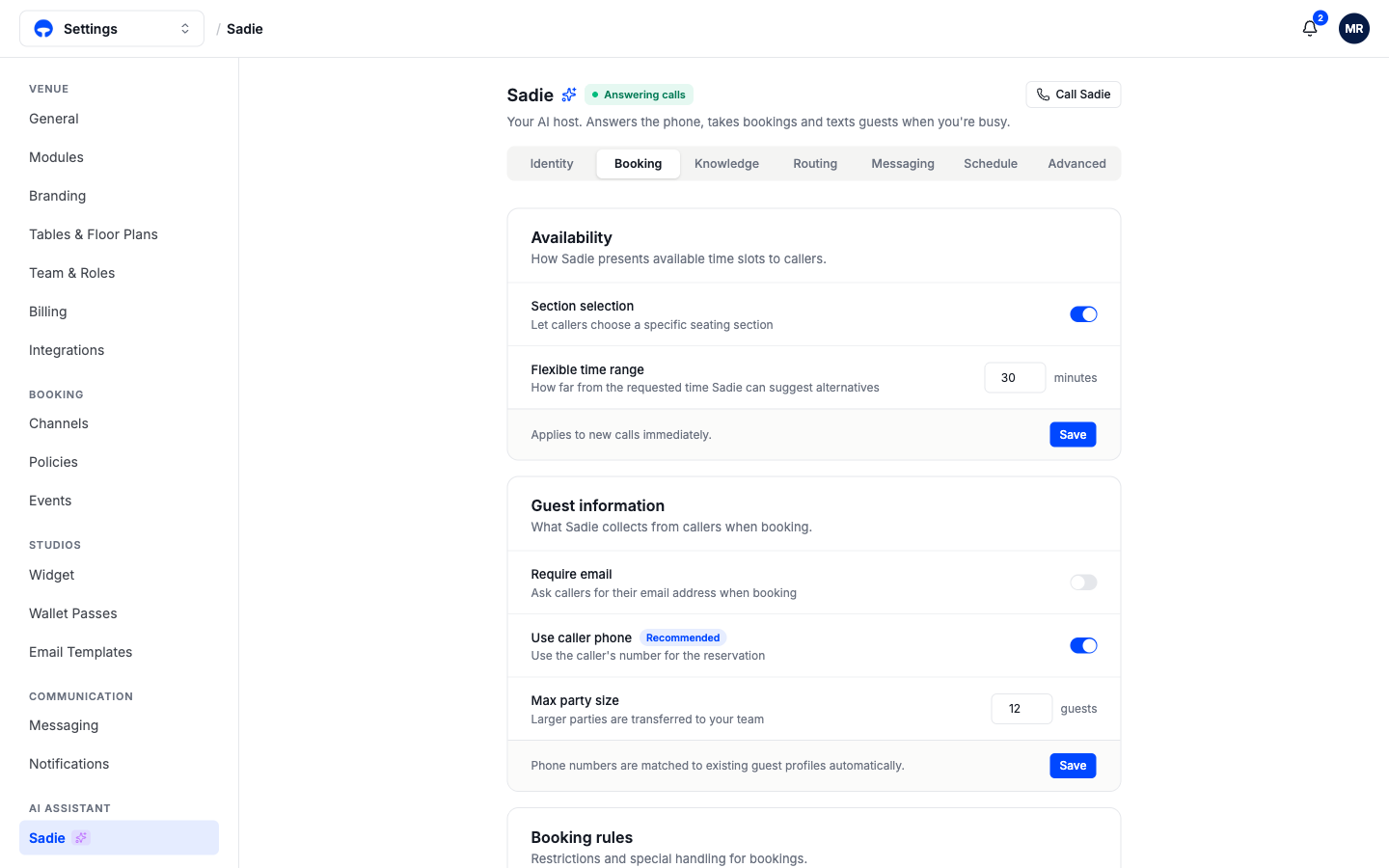
The Booking tab controls how Sadie sells your availability and what she asks of callers. She always books against your real services and floor plan, the same availability your booking page uses, so these settings shape the conversation rather than the inventory. Open Settings, then Sadie, then the Booking tab. Changes apply to new calls immediately.
Availability
Section selection lets callers choose a seating section, the same zones guests pick on your booking page. Switch it off if you would rather your host decide seating.
Flexible time range is how far from the requested time Sadie may offer alternatives. At 30 minutes, a caller asking for 7:00 on a full night hears "I have 6:45 or 7:30" instead of a flat no.
Guest information
Use caller phone books the reservation against the number the guest is calling from, which is the recommended setting: no number to read out loud, and the phone number matches the booking to an existing guest profile automatically, so regulars are recognized.
Require email adds an email question to every booking call. Leave it off unless you genuinely need email; asking callers to spell out an address is the slowest part of any phone booking.
Max party size is the largest party Sadie confirms on her own. Anything larger transfers to your team, so big-group requests always get a human conversation. Where that transfer rings is set on the Routing tab; see Schedule and transfers.
Booking rules
The card below holds restrictions and special handling for bookings, and your cancellation policy is explained to callers automatically; you never need to script it.
Check your work
Call Sadie and try to book a table for more people than your max party size. You should hear her offer to transfer rather than confirm.