

Schedule and transfers
Set when Sadie answers, and how calls reach a person when they need one.
Sadie answers around your service schedule and hands calls to your team when a person is needed. The Schedule tab controls when she is on; the Routing tab controls where calls go when she steps aside. Getting the backup path right matters most: a paused Sadie with no backup number means calls reach no one, and the page warns you about exactly that.
The Schedule tab
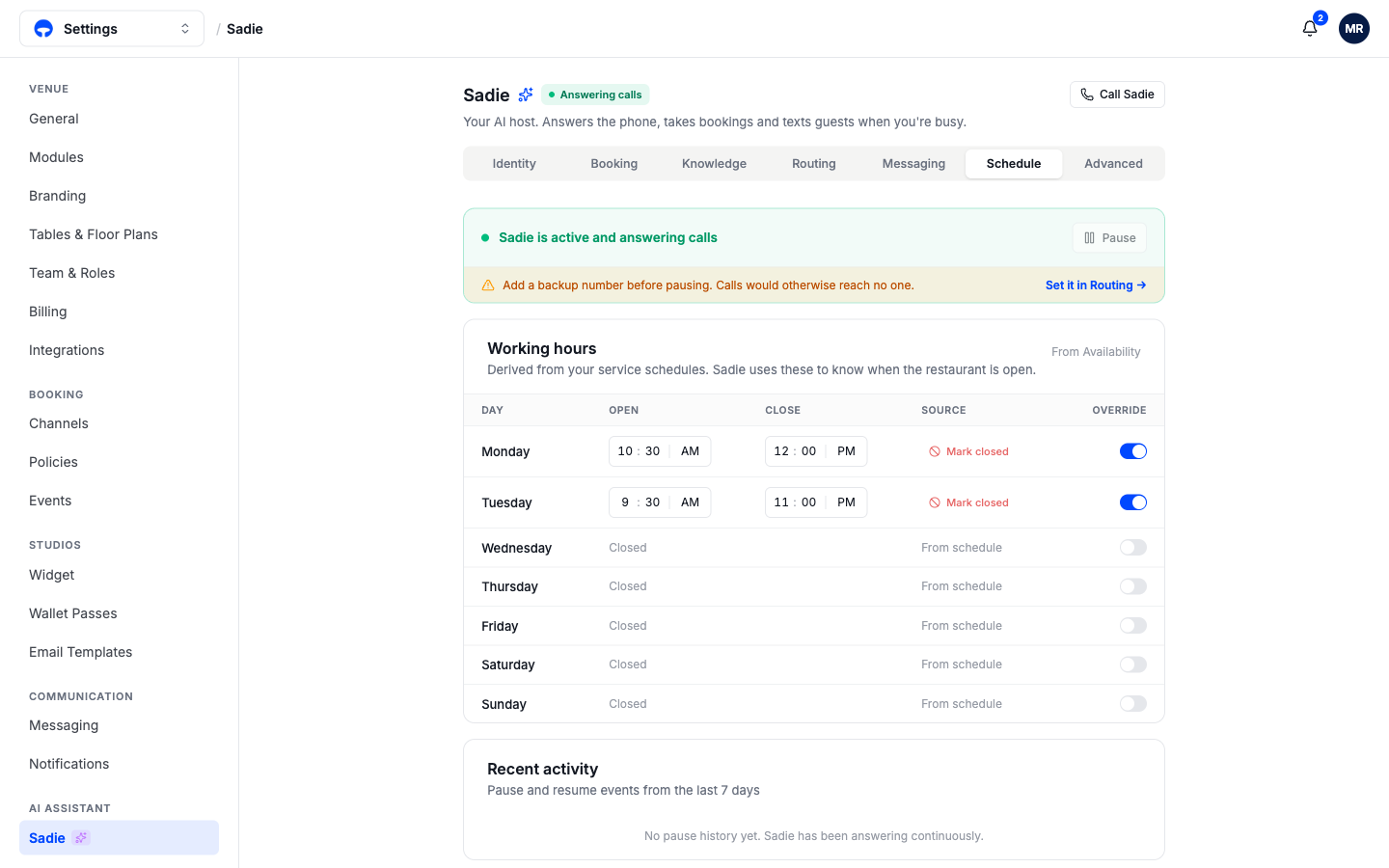
The banner shows her live status, with Pause to take her offline. Working hours come from your service schedules automatically, so Sadie already knows when the restaurant is open; she answers around the clock but uses these hours to talk about your opening times accurately. The Override switch on any day lets you set different open and close times, or mark the day closed, without touching your real services. Recent activity below lists any pauses from the last 7 days.
The Routing tab
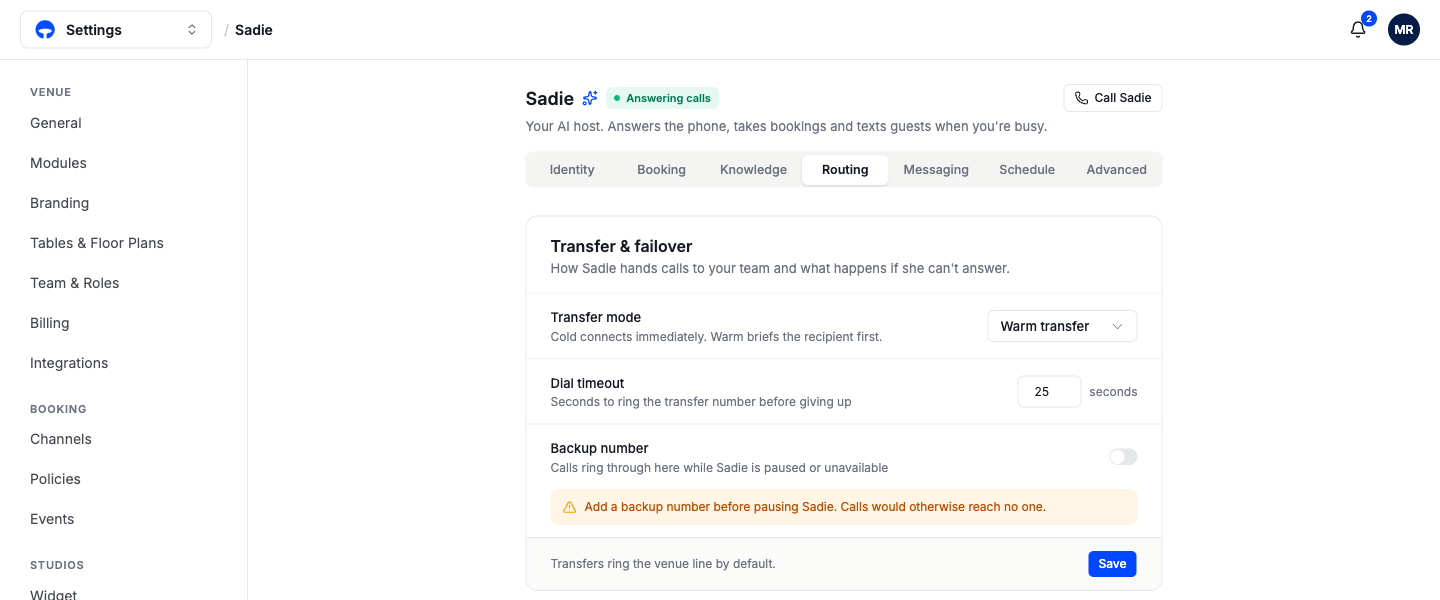
Transfer mode decides how a hand-off feels. Cold transfer connects the caller immediately; warm transfer has Sadie brief your team member first, so they pick up already knowing "party of 15, Saturday, asking about the private room". Dial timeout is how long the transfer number rings before Sadie gives up and takes a message instead. Transfers ring the venue line by default.
Backup number is where calls ring while Sadie is paused or unavailable. Set it before you ever use Pause.
Transfer reasons define when Sadie should hand a call over and to whom: a caller asking for the manager, a party over your size limit, a press inquiry. Each reason pairs a situation with a phone number, so the right calls reach the right person.
Set the backup number first
Pausing Sadie with no backup number sends callers to no one. Add the backup number on the Routing tab before your first pause.
Check your work
Call Sadie and ask to speak to the manager. The call should ring through to the number on your transfer reason, warm or cold per your transfer mode.