

The guest book
Search your guests, filter by tier and tag, and read the month's numbers.
Guests is your venue's guest book: every person who has booked, walked in, or been added by your team, with their visit history, contact details, and preferences. Open it from the top-left menu. A good guest book is what turns "table for two at eight" into "welcome back, your usual booth is ready."
Reading the directory
Each row is one guest, sorted by visit count so your regulars sit at the top.
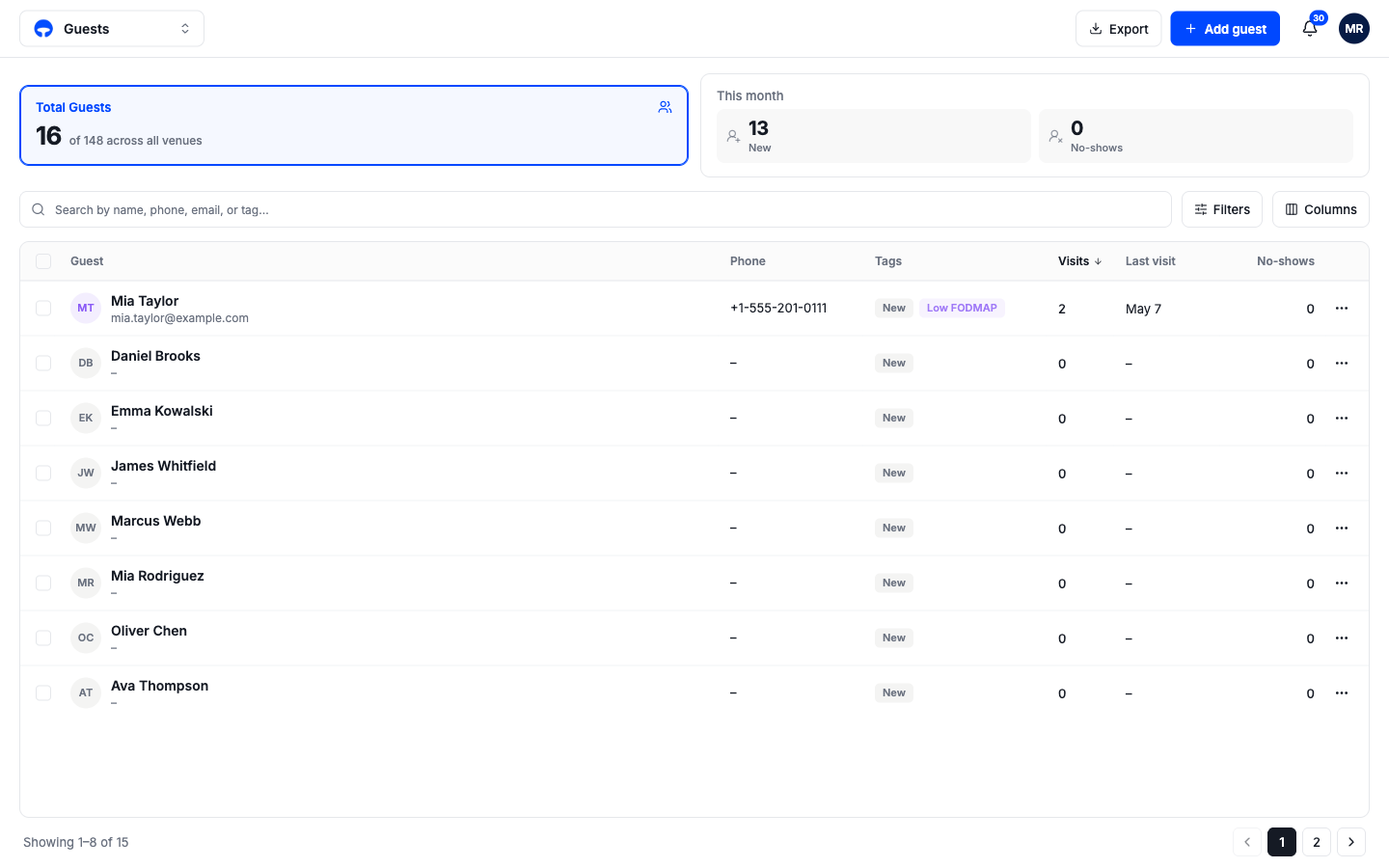
The columns, left to right:
- Guest, name and email.
- Phone, their number when there is one.
- Tags, the guest's tier chip plus any tags, such as dietary needs or occasions.
- Visits, how many times they have been in.
- Last visit, the most recent one.
- No-shows, how many bookings they missed.
Guests are added to this book automatically whenever someone new books online, calls, or walks in. You only add guests by hand when you want a profile before their first booking; see add a guest.
The stat cards
Total Guests counts this venue's guest book, with your whole organization's total next to it for context. The This month card splits into New and No-shows; each half is a filter, so one click shows you this month's new faces or the guests who missed a booking.
Search and filter the list
The search box matches names, phones, emails, and tags. Filters narrows the list by tier or tag, and Columns shows or hides columns.
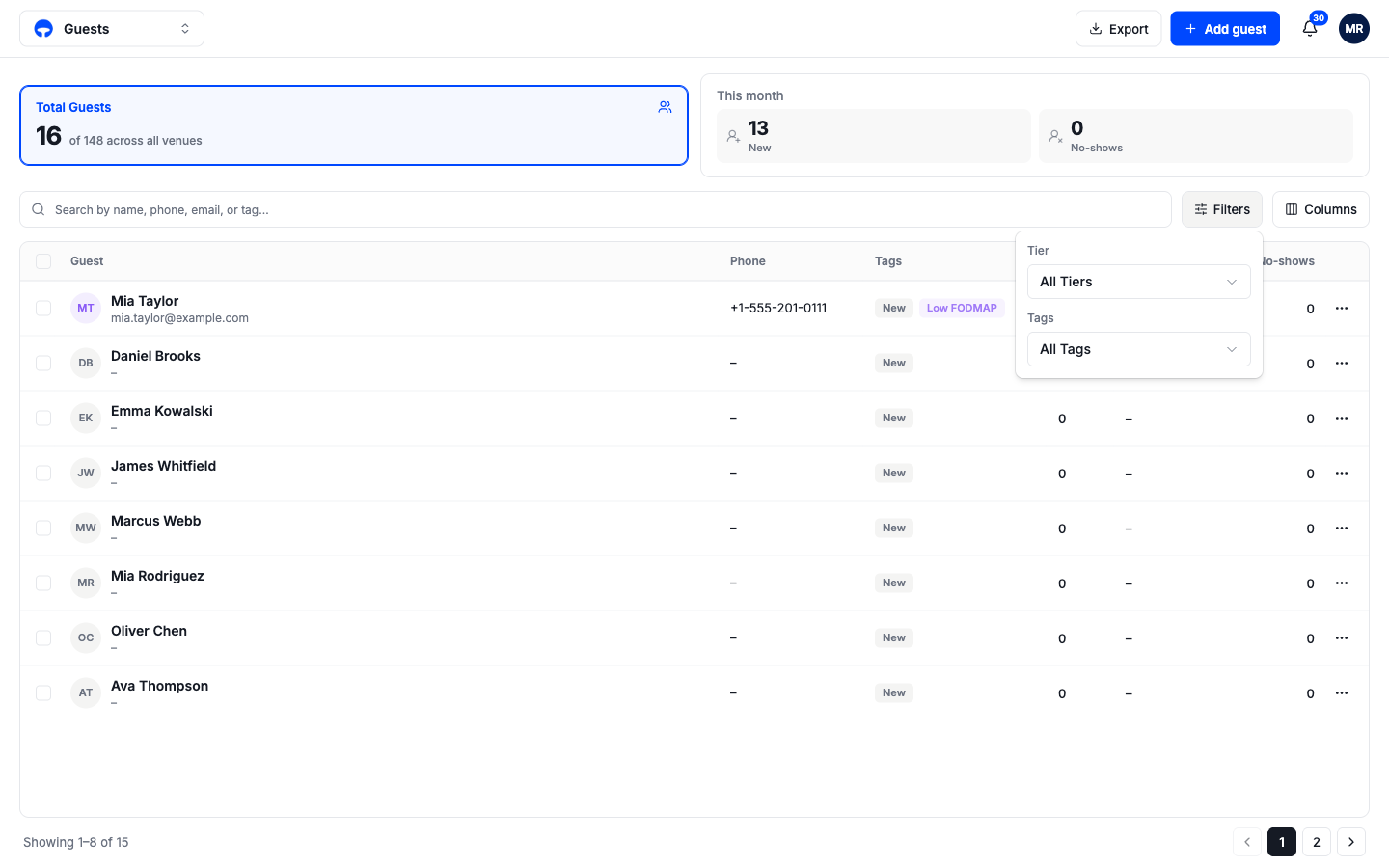
Guest tiers
Every guest carries a tier that shows as a colored chip: New for first-timers, Regular, VIP, and Platinum. Tiers show up wherever the guest does, including on their bookings during service, so the team knows who is at the door.