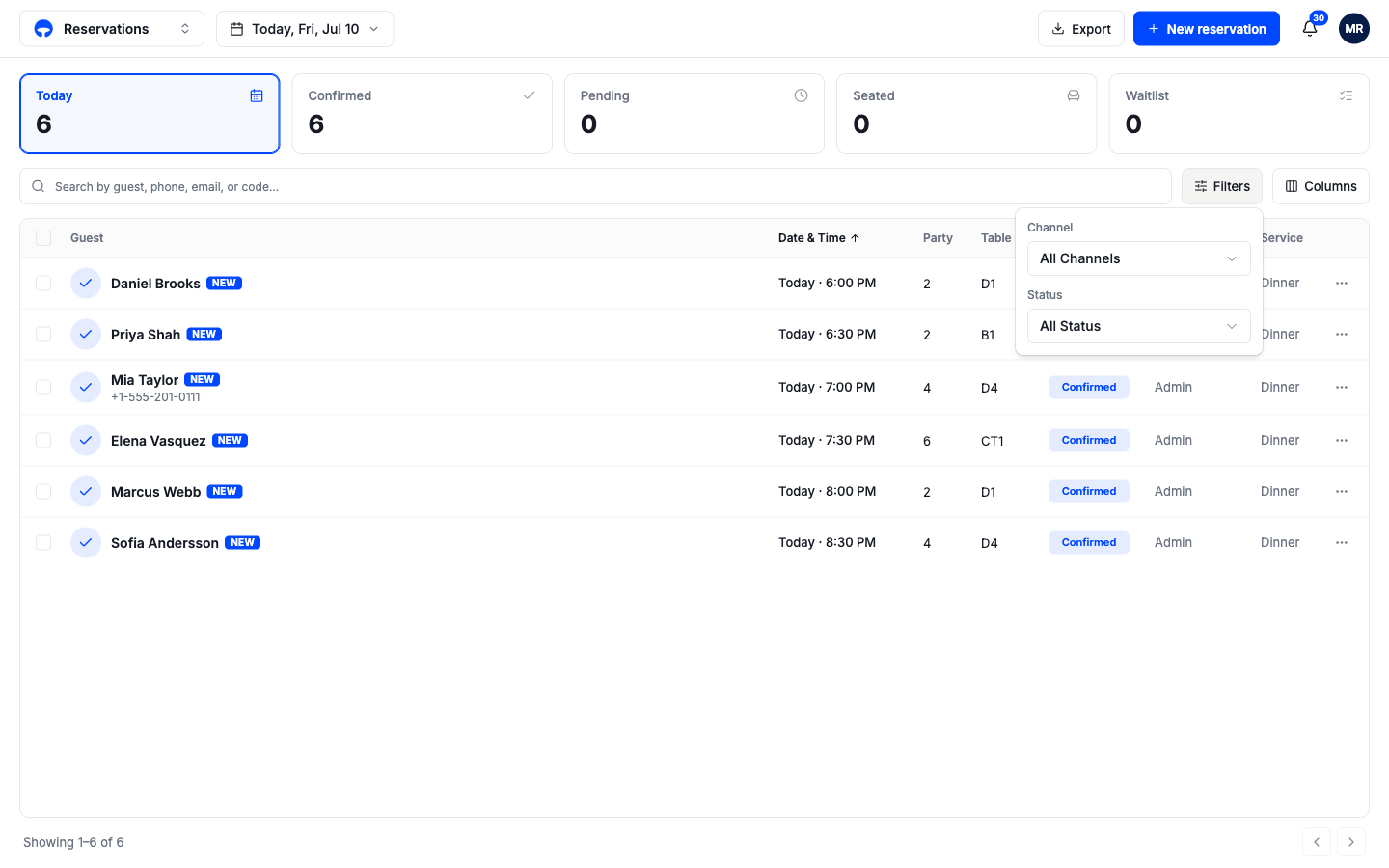
The reservations list
Find any booking, filter by date and status, and read the day's numbers.
Reservations is the master list of every booking at your venue: tonight's covers, next month's large parties, and the history of what already happened. Open it from the top-left menu under Operate. Where the Service view is built for running the floor right now, this page is built for finding, checking, and fixing bookings.
Reading the list
Each row is one booking. The colored disc before the guest's name shows the booking's status; the same color appears in the Status column, so you can scan either one.
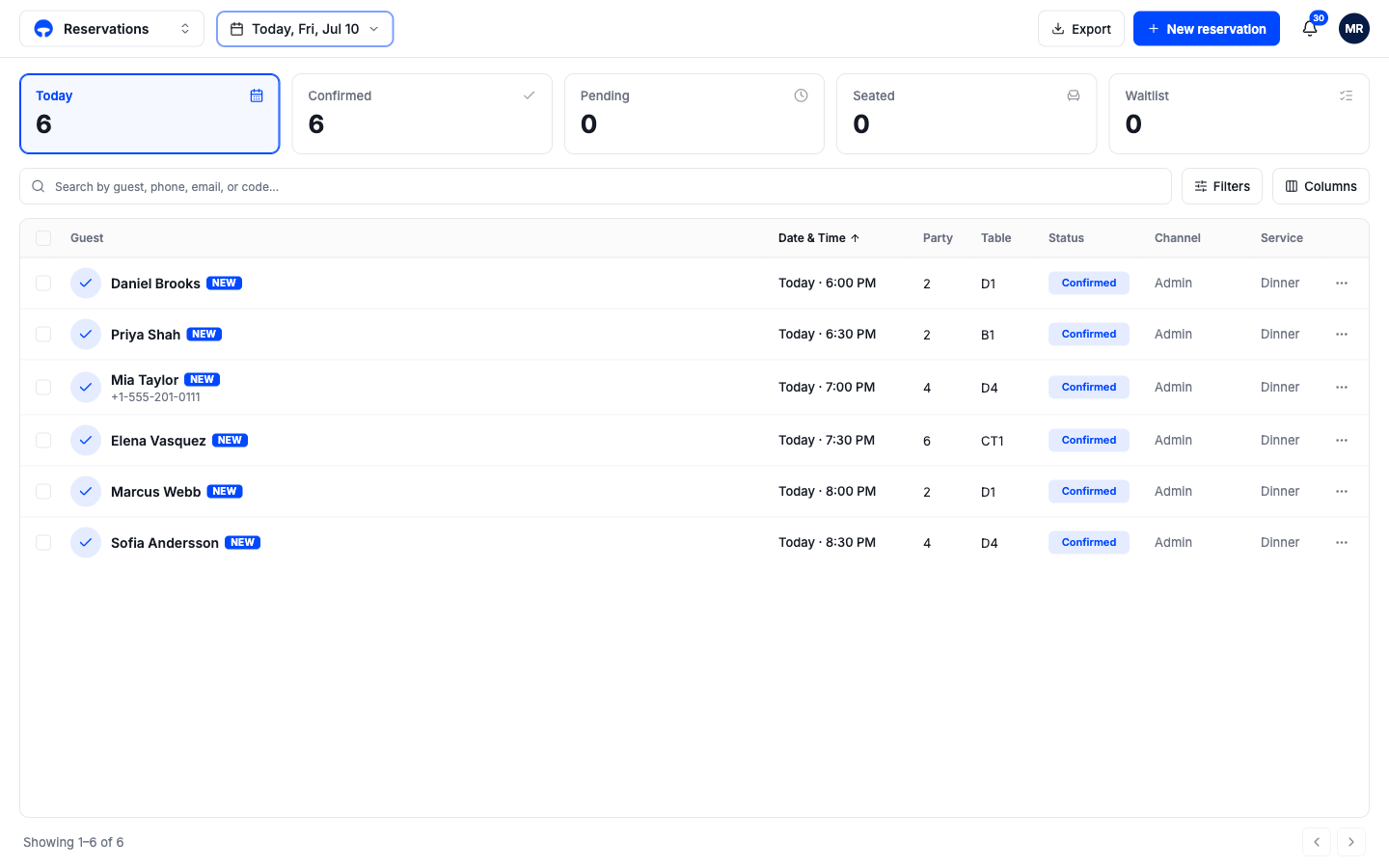
The columns, left to right:
- Guest, the name on the booking, with the phone number underneath when there is one. A solid blue New badge marks bookings made in the last 24 hours that no one has handled yet.
- Date & Time, when the party arrives. Click the column header to flip the sort order.
- Party, how many guests.
- Table, the assigned table code, or a dash when no table is set.
- Status, where the booking stands: Confirmed, Seated, Completed, Cancelled, or No-show, plus the earlier stages Inquiry, Block, Incomplete, Needs Review, Rejected, and Waitlisted.
- Channel, where the booking came from: Online Widget for your booking page, Phone, Walk-in, or Admin for bookings your team entered.
- Service, which service the booking belongs to, such as Lunch or Dinner.
Choose which dates you see
The date pill next to the menu controls the whole page. Click it to pick Today, Tomorrow, This Week, or This Month, or choose any date from the calendar underneath. The list, the count tiles, and the search all follow the range you pick.
The count tiles
The tiles across the top count the bookings in your date range, and each one is also a filter: click Confirmed to see only confirmed bookings, click it again to clear. The first tile always shows the total. Pending is a combined count, holds plus bookings that need review, so it is a tile rather than a status you'll see on a row.
The last two tiles change with the date. On today, you see Seated and Waitlist, the numbers you act on during service. On any other day, you see No-show and Cancelled instead, the outcomes worth reviewing after the fact.
Search and filter the list
The search box finds bookings by guest name, phone, email, or confirmation code. Next to it:
- Filters narrows the list by channel or status.
- Columns shows or hides columns; your choice is remembered.