Guest list mode
Run the door from a tick-off sheet with bans and skip-line tags.
Guest list mode replaces the whole Service view with a door sheet: one list of who is expected and who is inside, ticked in and out as they pass. The floor, timeline, and waitlist are gone; the door owns the screen. It fits club nights, ticketed events, and any service where entry is the product. Set a service to this mode in Service modes.
Reading the door sheet
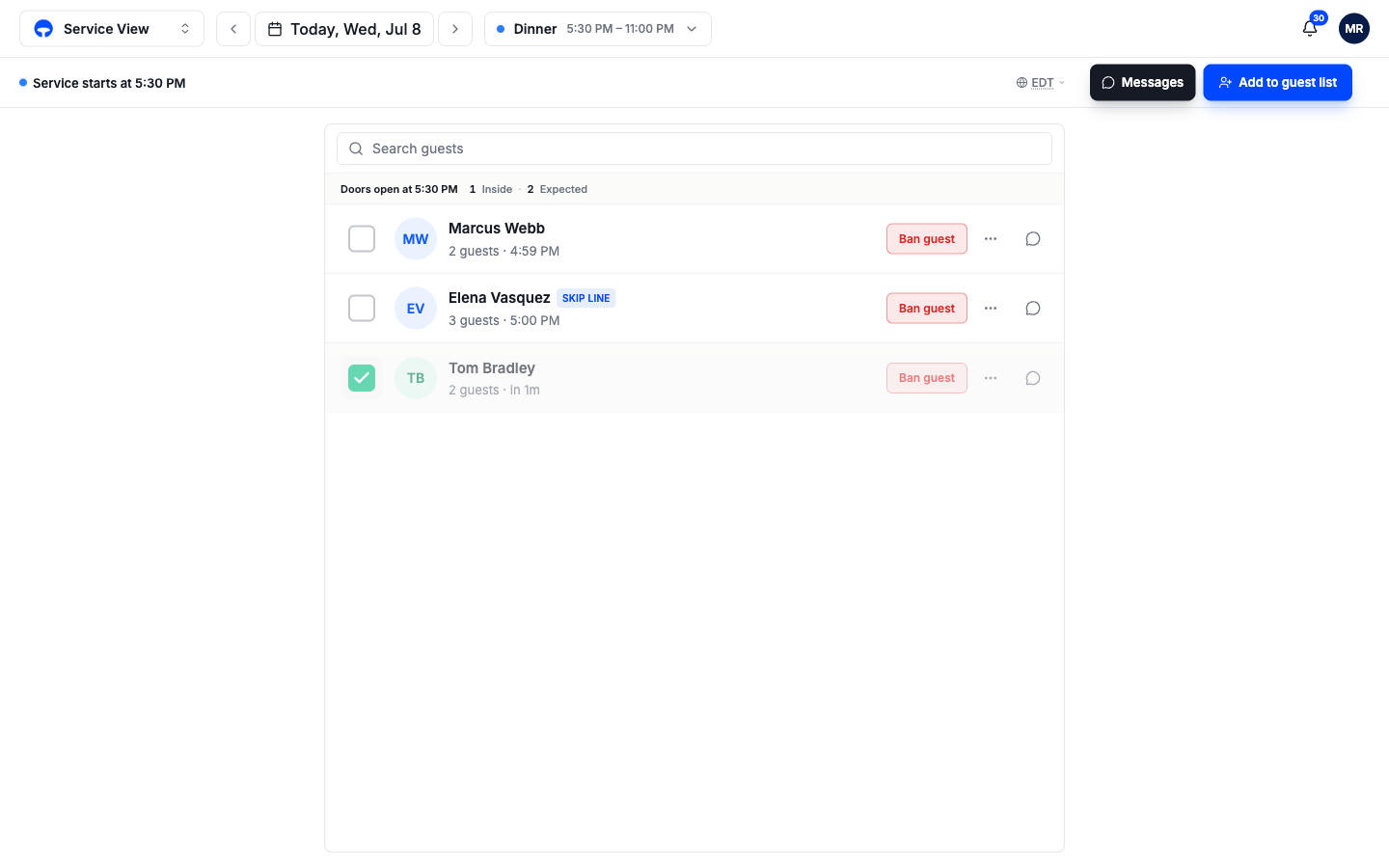
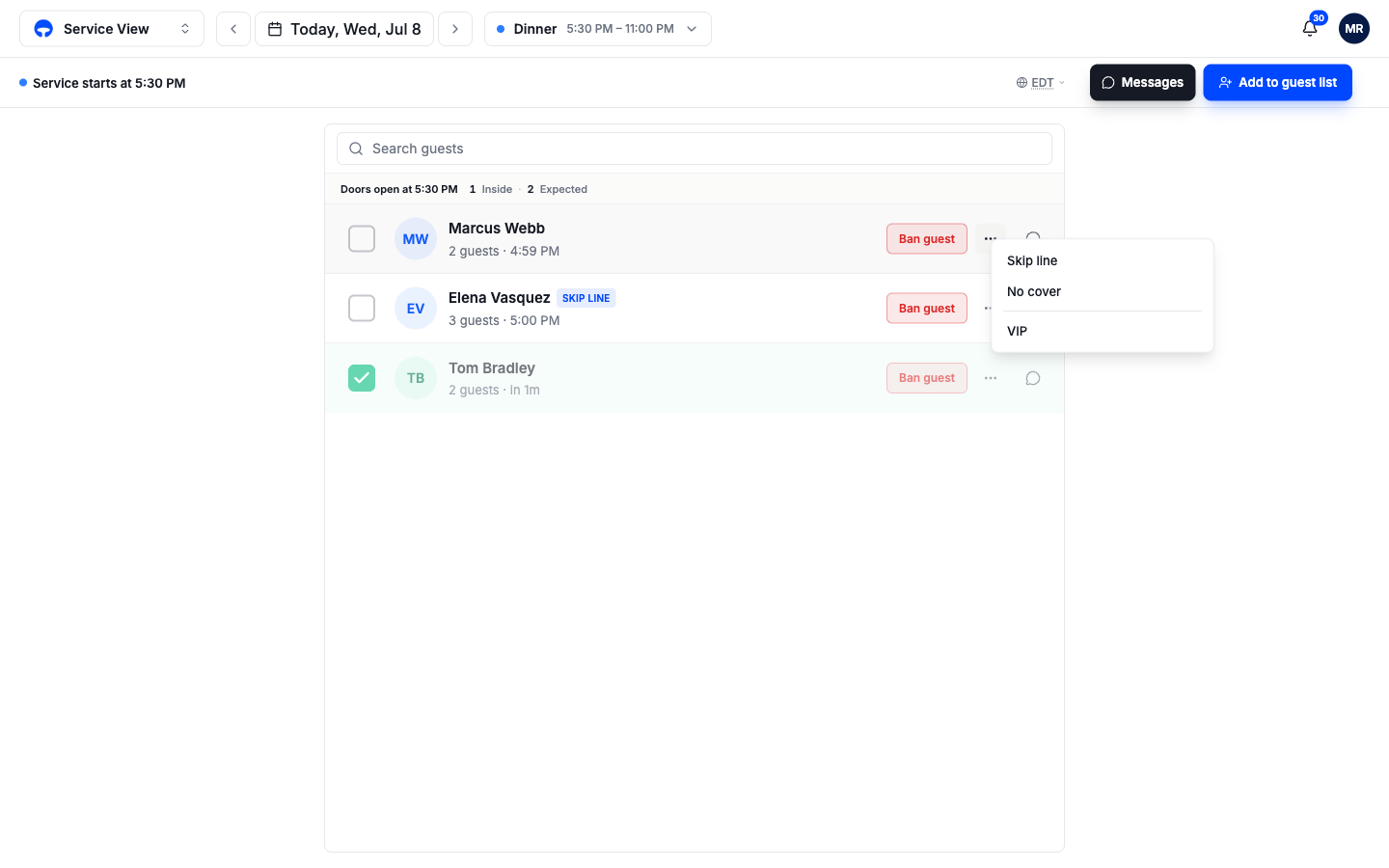
The header strip shows when doors open and keeps the live count, Inside and Expected. Below it, one row per party:
- Expected parties show their added time and an empty tick circle. They are on the list but not in yet.
- Inside parties show a green tick and how long they have been in. They sink below the expected group and fade, so the working list stays on top.
- Tags show beside the name: a Skip line or No cover chip, set when the party was added or later from the row menu.
The search box up top finds a name fast, which is the whole job when there is a queue.
Work the door
Add a party with Add to guest list
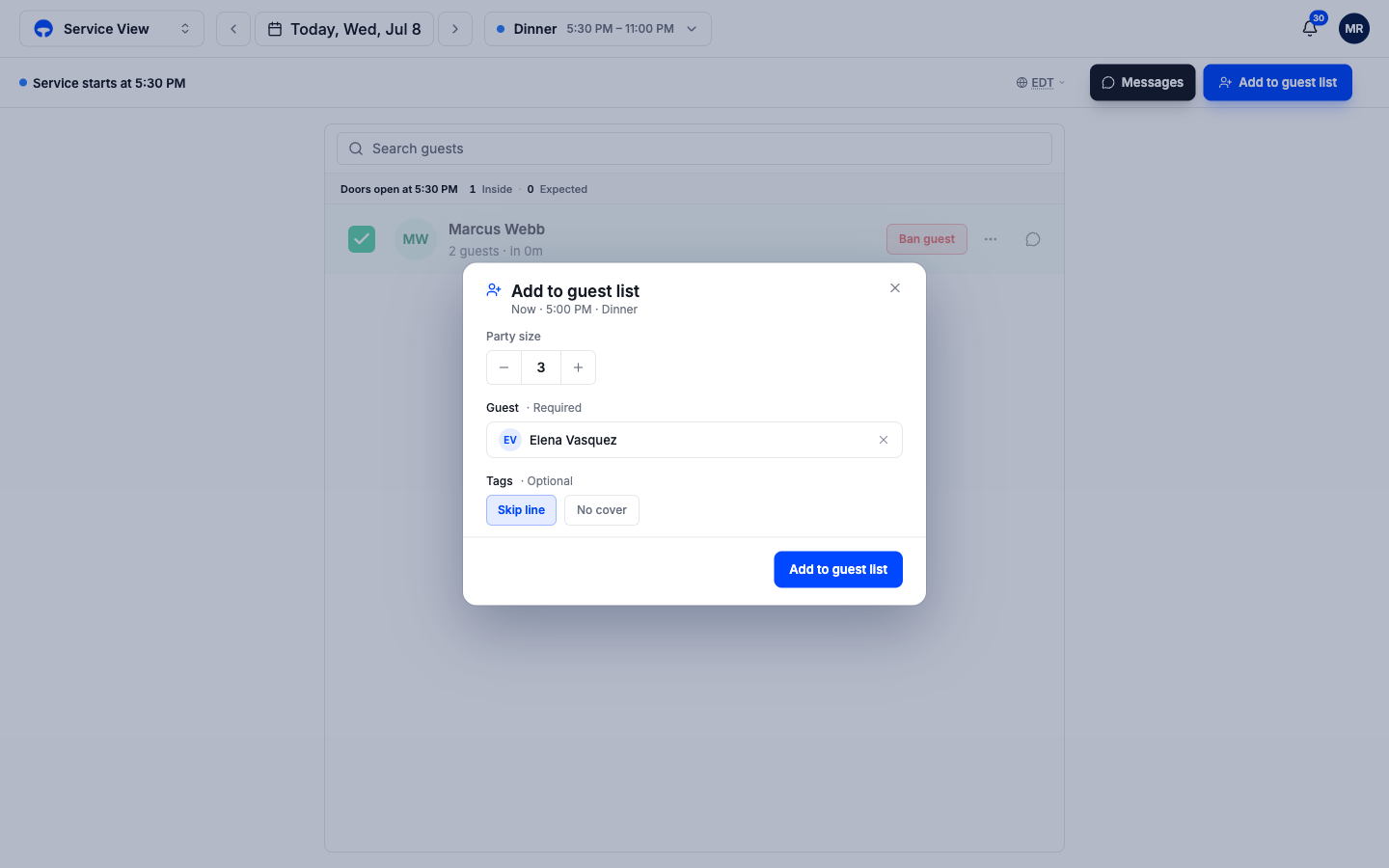
Click Add to guest list in the header. Set the party size, pick or create the guest, a name is required here, and tag them Skip line or No cover if it applies. Click Add to guest list to put them on the sheet.
Tick them in at the door
Tap the circle on the row when the party walks in. The tick turns green, the row shows how long they have been inside, and the header count updates.
Untick a mistake or a party that left
Tap the green tick again to move them back to Expected. Use the row's three-dot menu for tags and VIP.
Ban a guest
The Ban guest button sits on every row. Click it and confirm, and the guest moves to the Banned section at the bottom of the sheet, collapsed out of the way but always checkable by the door staff. Banned guests stay banned on future nights until you un-ban them from the same place.
The row menu
The three-dot menu on each row toggles Skip line, No cover, and VIP on the party. The speech-bubble icon opens the guest's message thread, useful when the text says "we're five now" and you need the row to match.