The Waitlist tab
Quote a wait, text the guest when the table is ready, and seat them.
The Waitlist tab tracks walk-in parties waiting for a table. You quote a wait, Covers times it, and when a table frees up you text the guest with one tap and seat them with another. On a wide screen the waitlist sits beside the live floor, so you can watch tables turn while the line moves.
Some venues run their entire service this way. If a service is set to Waitlist only mode, this tab fills the screen and becomes the whole Service view; everything below works the same. See Service modes.
Add a party to the waitlist
Click Add to waitlist
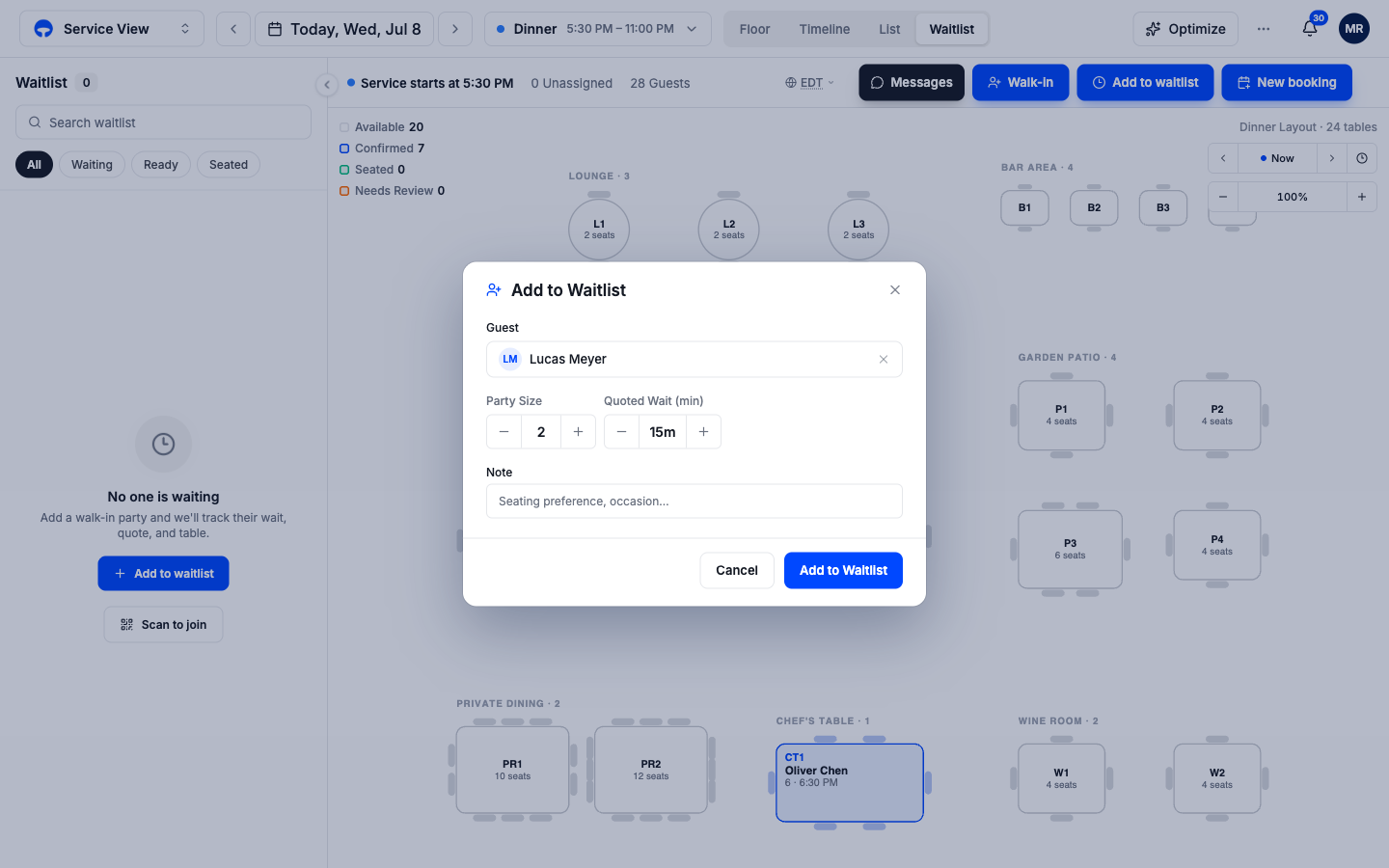
The button sits in the quick-action row at the top of the Service view. The Add to Waitlist window opens.
Pick the guest and set the party size
Search for the guest by name, or type a new name and save it on the spot. Adding a phone number matters here; it is how the table-ready text reaches them.
Quote the wait
Set the quoted wait in minutes with the stepper, add a note like a seating preference if you have one, and click Add to Waitlist. The party appears in the Waiting group with a timer running against the quote.
Reading the waitlist
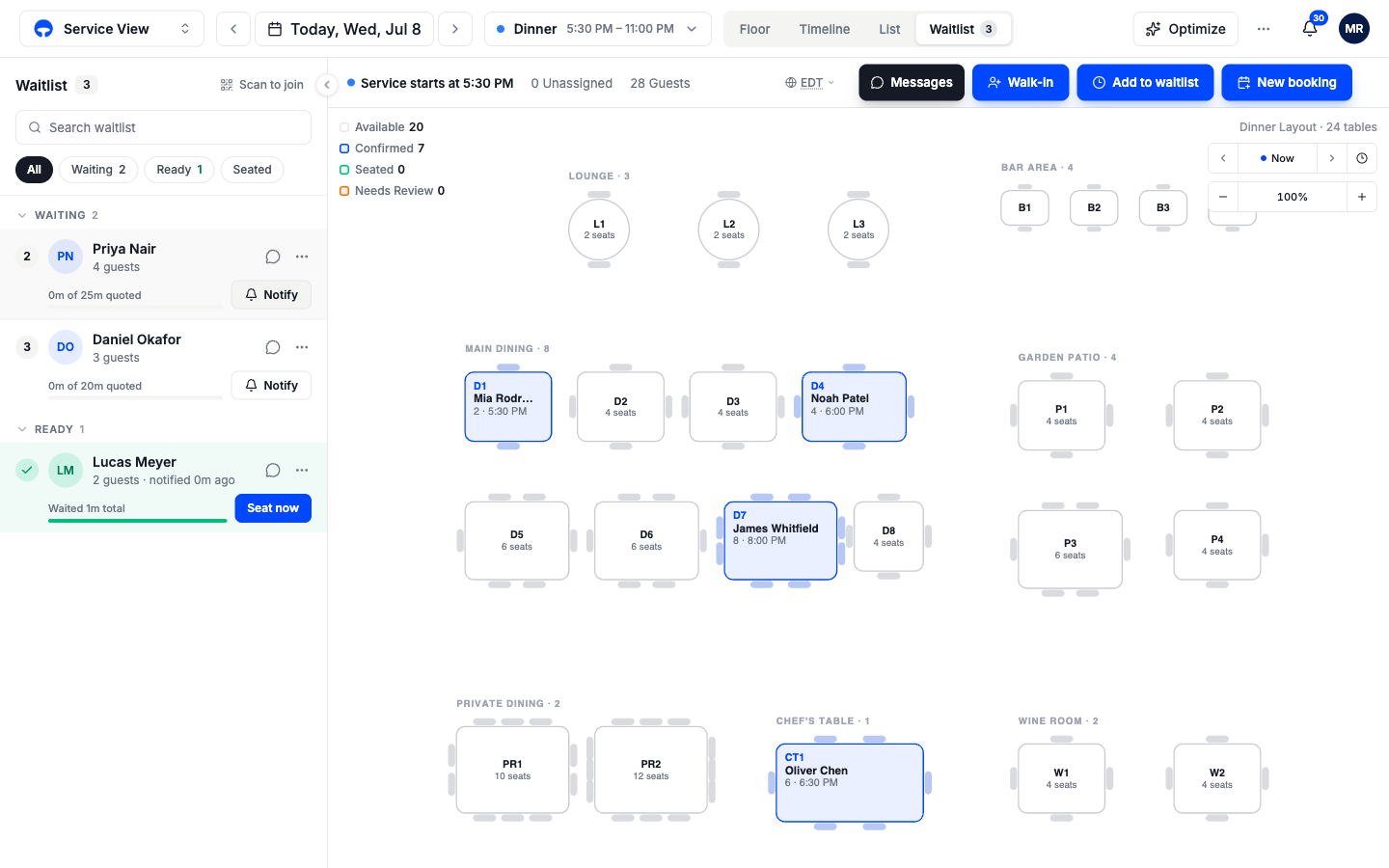
Parties sit in three groups that mirror the real flow:
- Waiting parties show a progress bar of time waited against the quote, "12m of 15m quoted". A party past its quote turns red, your cue to make a call.
- Table ready parties have been notified and show how long ago, plus their total wait.
- Seated from waitlist parties came off the waitlist onto a table and stay here for reference.
Filter chips at the top narrow the view to one group, the Table ready chip reads simply "Ready", and the search box finds a name in a long line.
Notify and seat a party
Click Notify when the table frees up
The guest gets a text that their table is ready, and the party moves to the Table ready group. No phone on file means no text, so ask for a number when you quote.
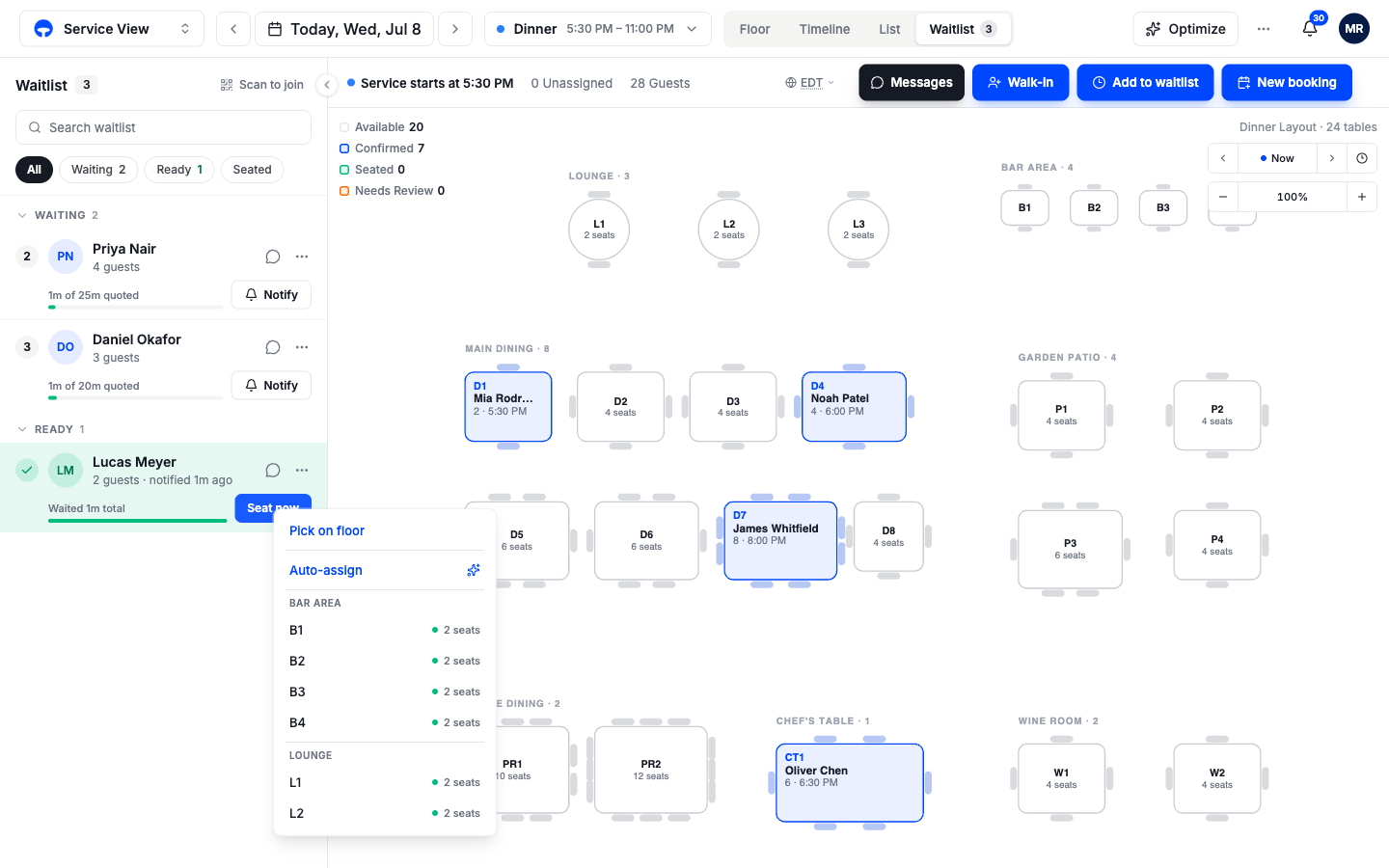
Click Seat now and pick the table
A table picker opens: choose Auto-assign, pick a specific table from the list grouped by area, or Pick on floor to tap the table on the map.
The party is seated
The table turns green on the floor and the party moves to the Seated from waitlist group. Their total wait is stored on the visit.
A party that gave up is handled from the three-dot menu on their row: Mark as left, Mark no-show, or Remove from waitlist.
Let guests add themselves
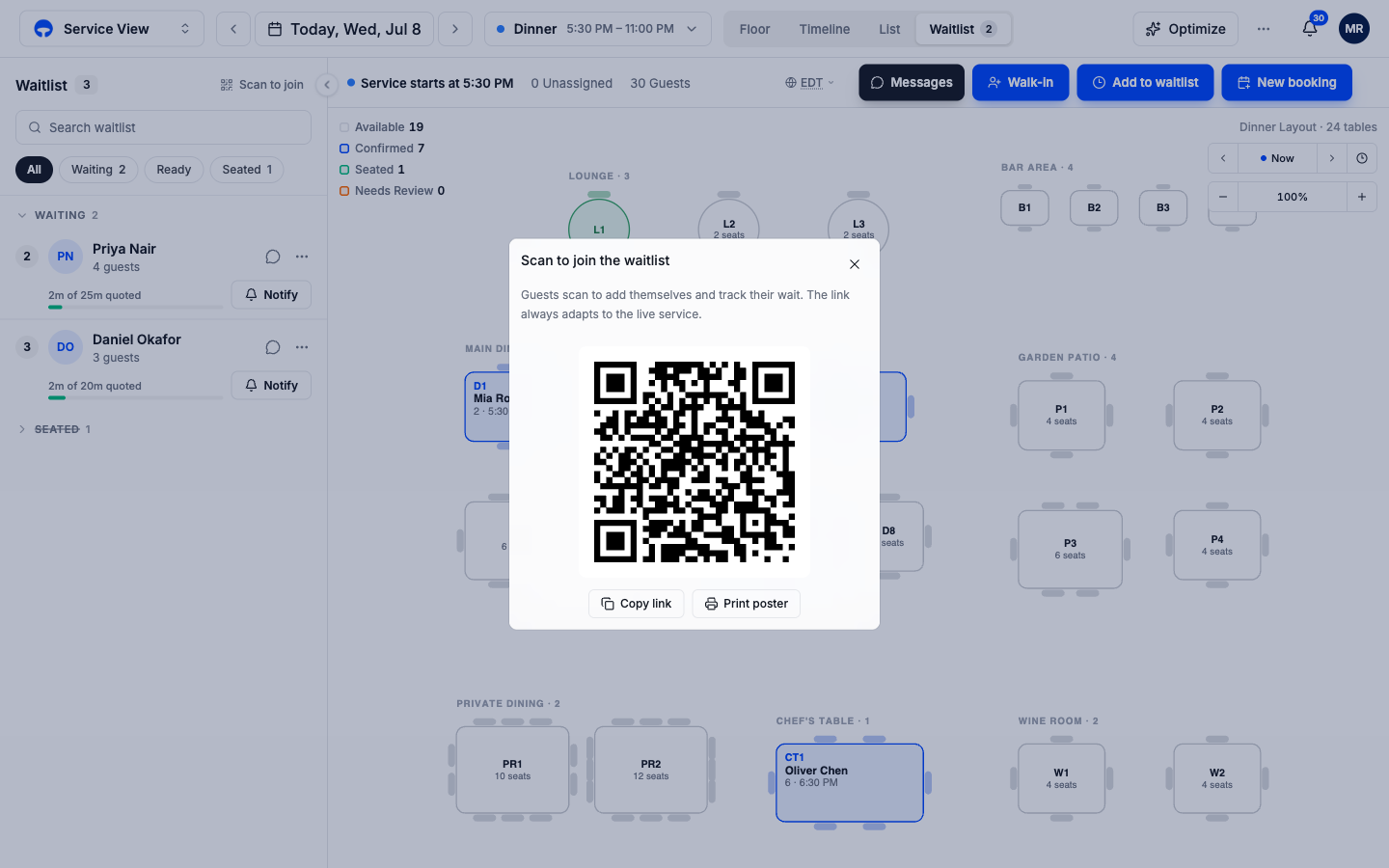
Click Scan to join at the top of the waitlist. Covers shows a QR code guests can scan to join the line from their own phone and watch their place in it. Print poster makes a stand-ready sheet for the host desk; Copy link gives you the same link for anywhere else.