The Timeline tab
See every booking on a time grid and move times with a drag.
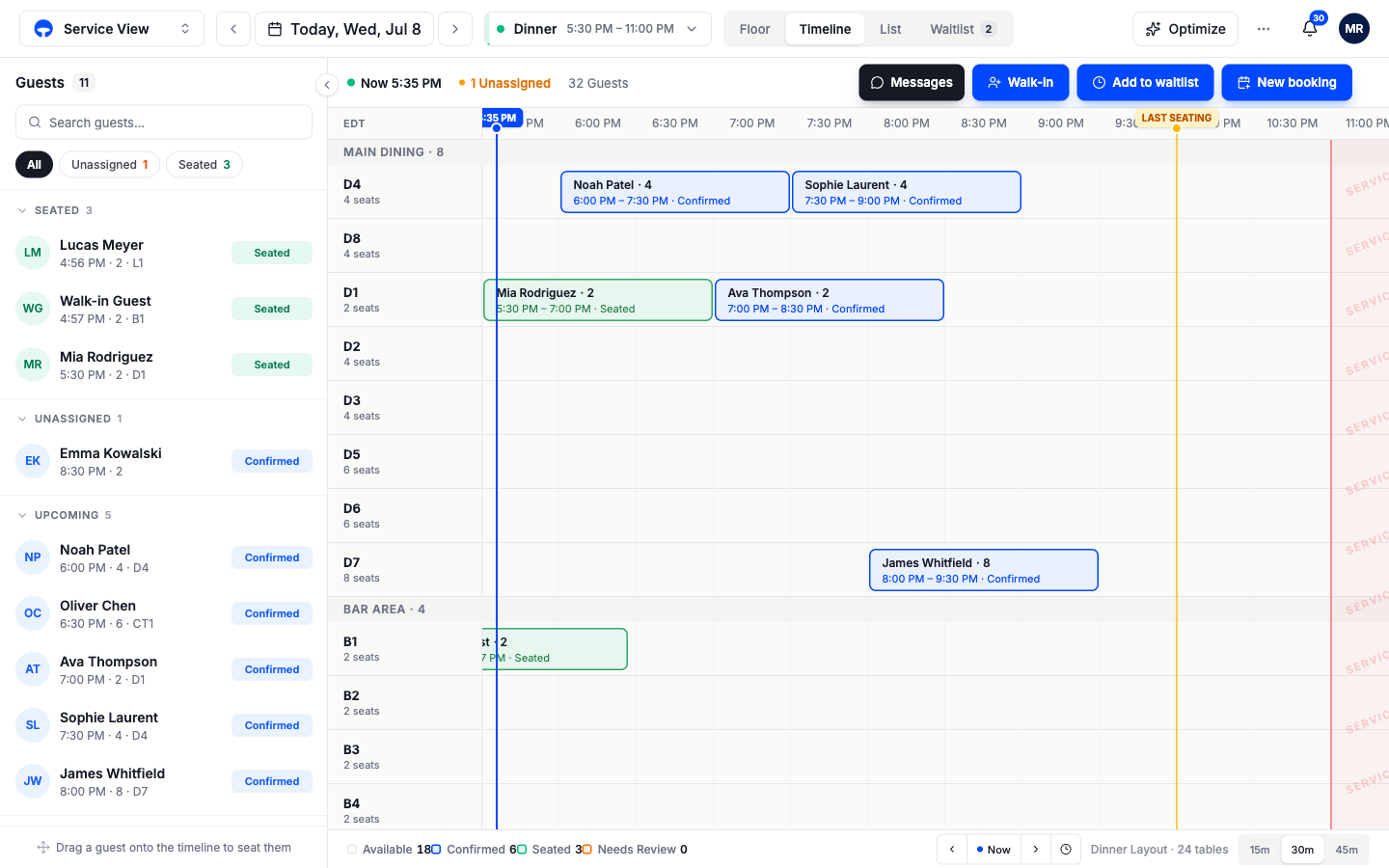
The Timeline tab lays the service out as a grid: one row per table, one column per half hour, one block per booking. It answers the questions the floor can't, like whether table D4 can turn twice tonight or where an 8:00 six-top could still fit. When a guest calls to push their booking back an hour, this is the fastest place to do it.
Reading the grid
Tables run down the left, grouped by area just like the floor. Each block shows the guest, party size, time window, and status. Three markers keep you oriented:
- A Now line tracks the current time across the grid once service is running; the Now button in the bottom corner jumps back to it after you scroll.
- The amber Last seating flag marks the final time a booking can start.
- The red shaded band on the right is after service ends; nothing books there.
The column-width buttons in the bottom corner zoom the grid; tighter columns show the whole night, wider ones make short gaps easier to grab.
Change a booking with a drag
Drag a block sideways to change its time
Press and hold the booking block, slide it left or right along its row, and let go. The block snaps to the grid and the booking's time updates.
Drag a block to another row to change its table
Slide the block up or down to a different table's row. The booking keeps its time and takes the new table. A row that clashes with another booking will not accept the drop.
Confirm anything that affects the guest
When the change matters to the guest, Covers asks before saving and offers to notify them, so a dragged block never silently rebooks someone.
Bookings that have no table yet sit in the Queue row, a sticky orange strip pinned under the time header. Drag one down onto a table's row to give it a table.
Book an empty slot
Click an empty stretch of a table's row to start a booking right there. The new-booking window opens with the table and time already filled in, so you only add the guest.
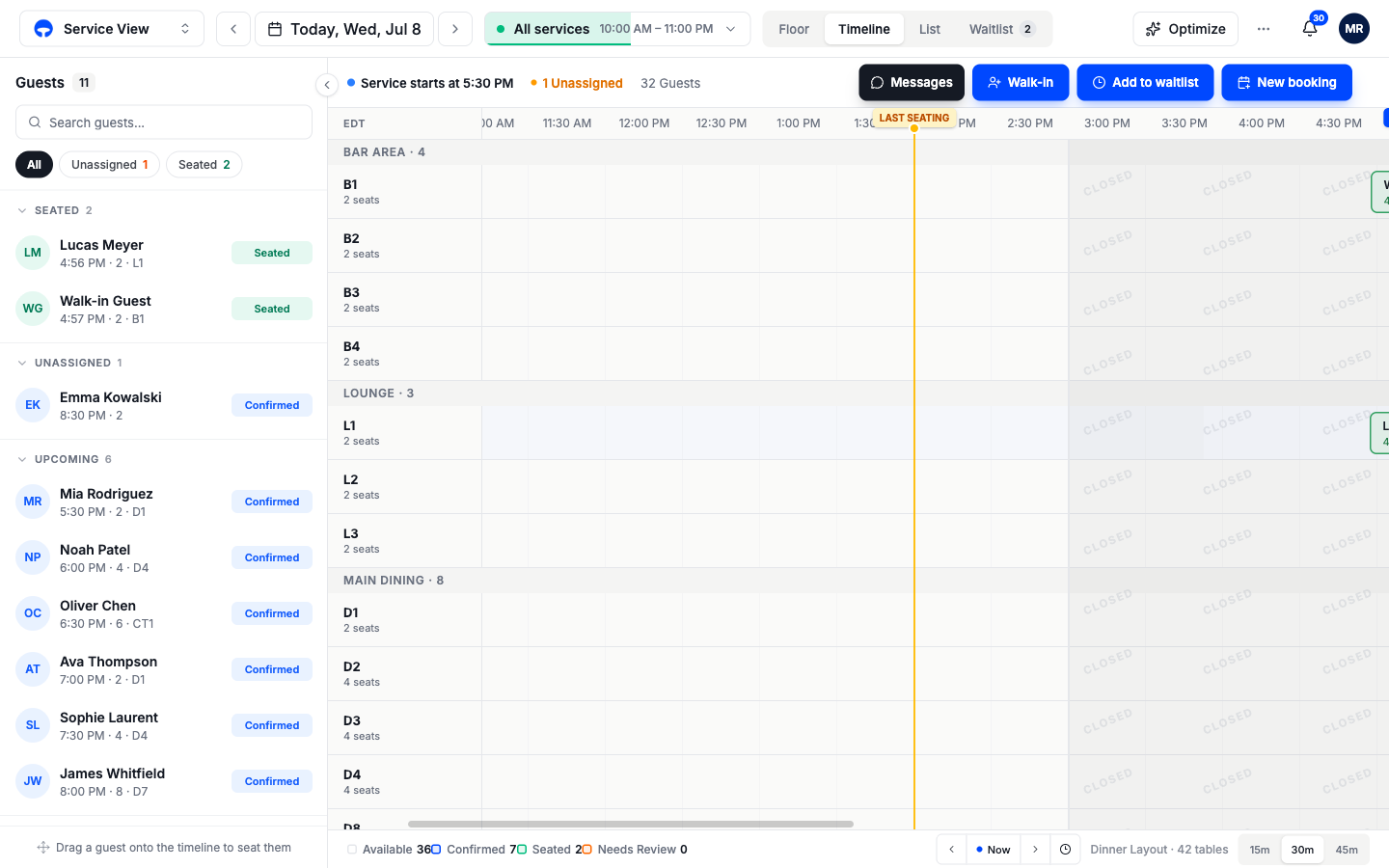
The timeline on an All services day
With All services picked in the service pill, the grid spans the whole day, and the hours between services are hatched Closed. You can drag a booking from one service into another, lunch to dinner, say, and Covers reassigns it; dropping a block into the closed gap is refused because no service is open at that time.