

Floor plans across more than one floor
Map a ground floor, a terrace, and an upstairs room as separate floors in one layout, and move between them as you edit or run service.
A venue is rarely one room. A ground floor, a garden terrace, and a private room upstairs each seat guests differently, and now each one can be its own floor inside the same layout. You add floors in the floor plan editor, switch between them while you build, and move between them during service without leaving the screen.
Before you start
Open Floor Plan from the main menu and make sure Edit layout is selected at the top left. The floor controls sit in the top toolbar and on the canvas.
Add a floor
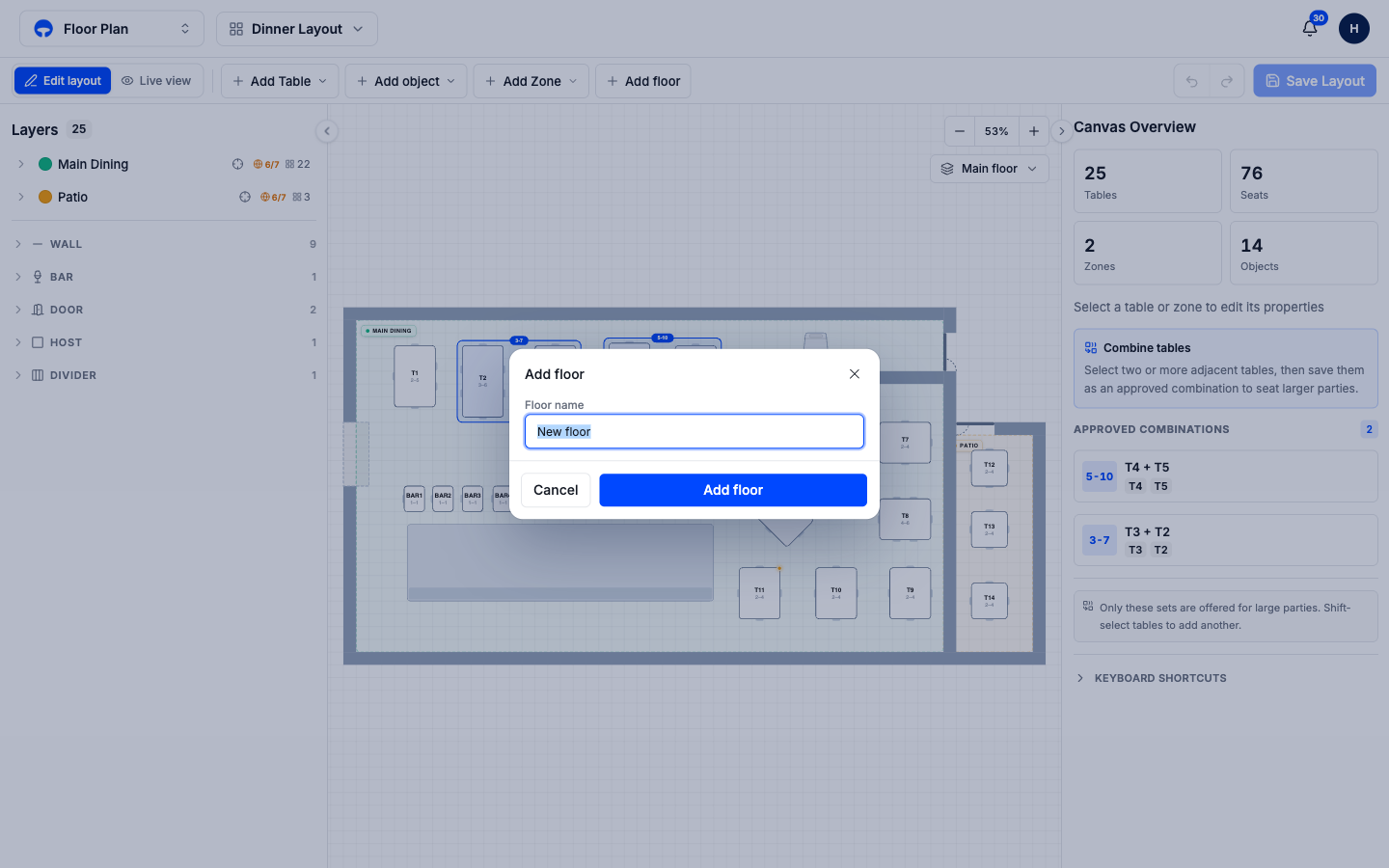
Click Add floor in the top toolbar. A small window opens asking for the floor name.
Type a name a host would recognise, like Upstairs, Terrace, or Private Room, then click Add floor. The editor opens the new floor as a blank canvas, ready for its own zones and tables.
Build the new floor the same way you built the first one: add its zones, drop in its tables, and place its walls and doors. Each floor keeps its own tables, so a table code like T1 on the ground floor and T1 upstairs never clash.
Switch between floors
The floor switcher sits at the top of the canvas and lists every floor in the layout. Click it, then choose a floor to bring it onto the canvas. The floor you are viewing is highlighted, and the three-dot menu next to each one lets you rename, duplicate, or delete it.
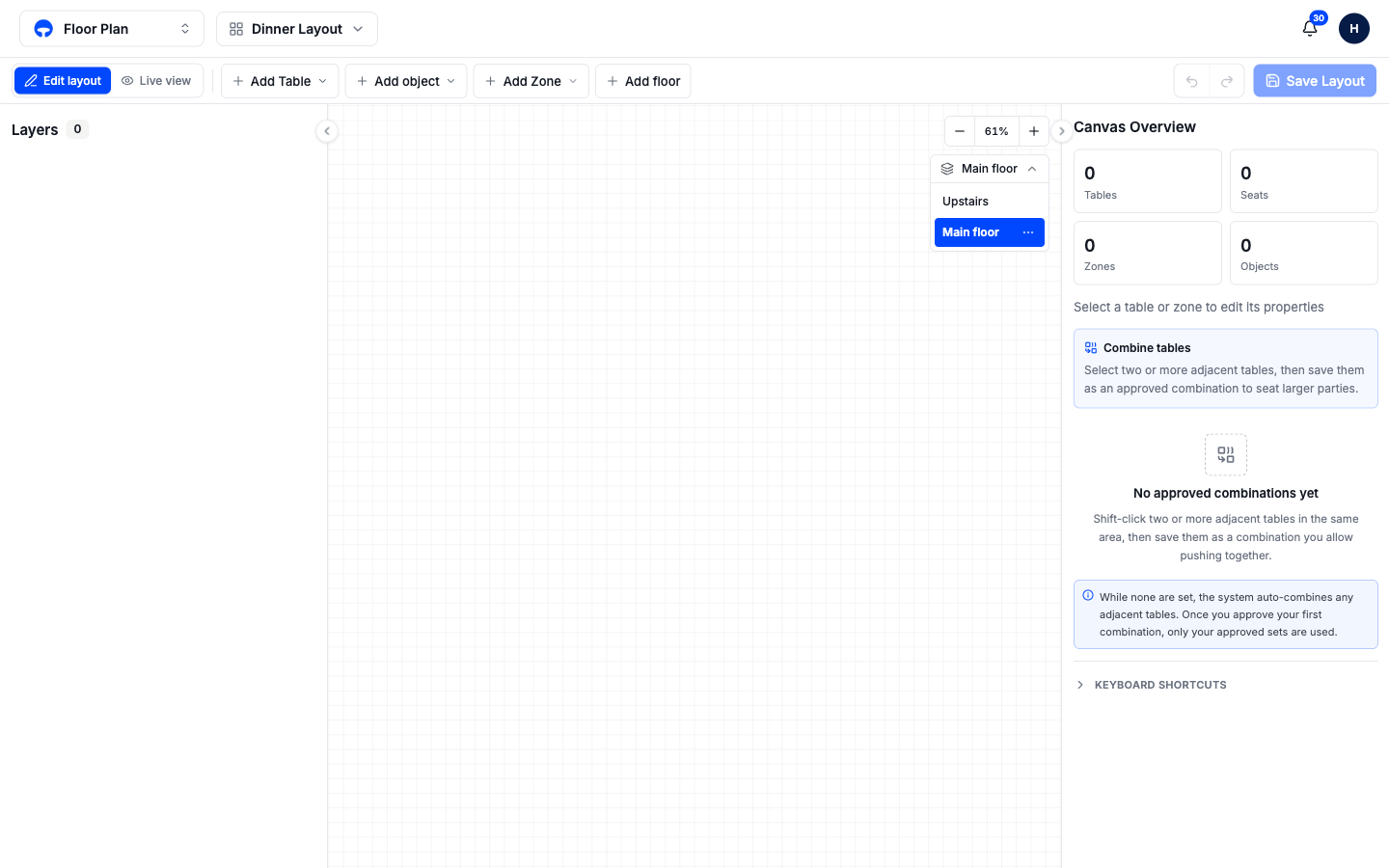
Duplicating a floor is the fastest way to start a second room that mirrors the first: copy the ground floor, then rearrange the tables upstairs. Deleting a floor is only offered while another floor exists, and Covers asks you to confirm.
Floors during service
A layout that spans several floors carries every floor into live service. On the Service View floor, the same floor switcher lets you move between the ground floor and the upstairs room as you seat guests, so you always see the room the party is actually in. If a room is arranged differently for one night, you can edit the live layout for that floor without leaving service.
What's next
- Manage layouts for different services, now that each layout can hold every floor of the building.
- Set which channels can book each table, floor by floor.