

Table settings
Set each table's code, seats, shape, and fill priority.
Select any table on the canvas or in the Layers panel and the Properties panel on the right shows everything about it. The essentials sit at the top; the sections below them fold open when you need them. Changes apply when you click Save Layout.
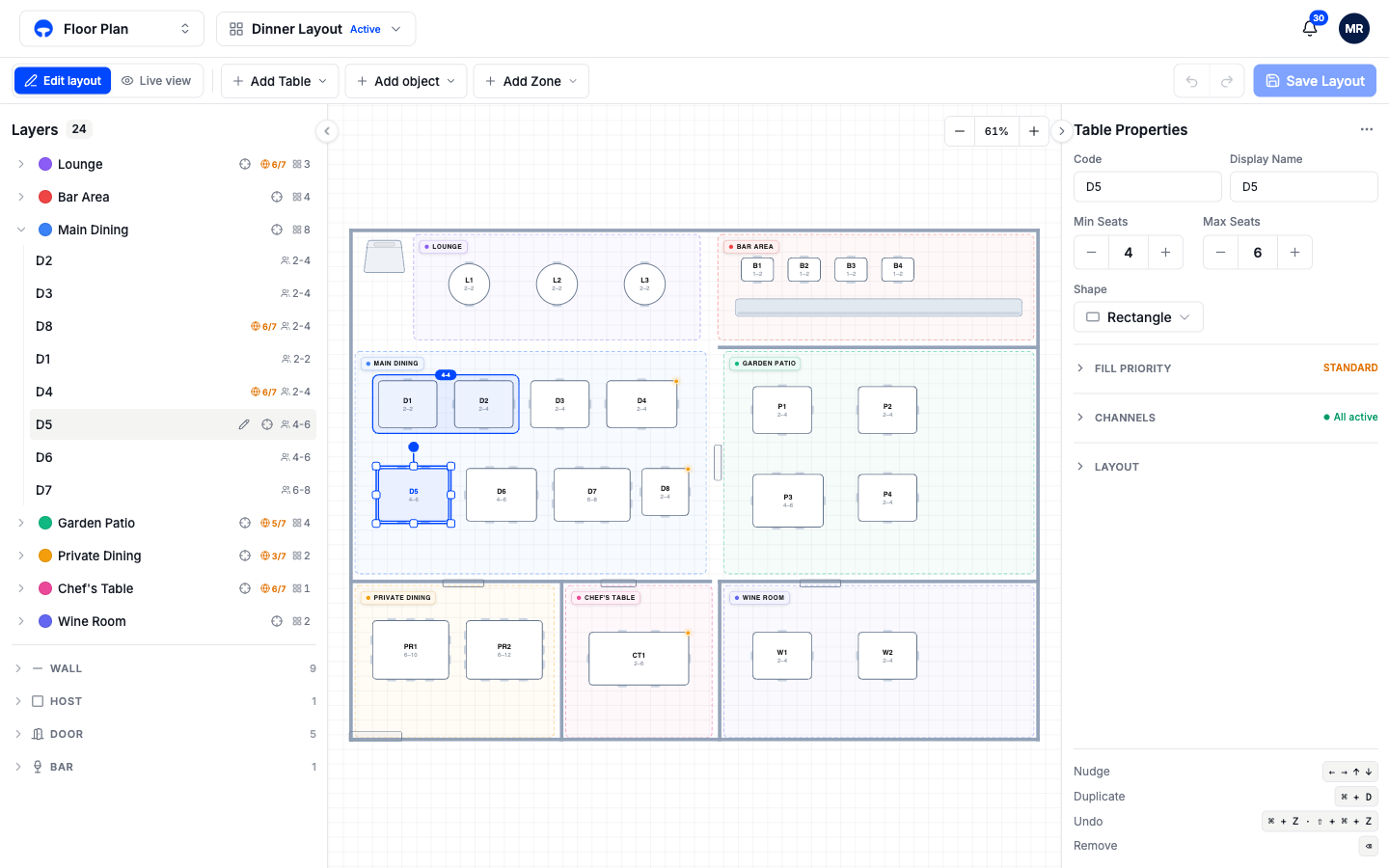
Code and display name
Code is the short label on the floor: D5, B2, PR1. Hosts read it during service, so keep it short and unique; Covers blocks saving while a code is blank or already taken. Display name is the longer, friendlier name and can repeat.
Minimum and maximum seats
The two steppers set the party sizes the table accepts. A table set to 4 to 6 is offered to parties of four, five, or six; a party of two is sent to a smaller table instead of wasting the four-top. Set both to the same number for a fixed table.
Shape
Circle, Square, Rectangle, Oval, or Banquet. Shape is visual; the seat settings decide who fits. Pick the shape that matches the physical table so hosts recognize it on the plan during service.
Fill priority
Open the Fill Priority section to control the order the seating engine fills your tables. A lower number fills first.
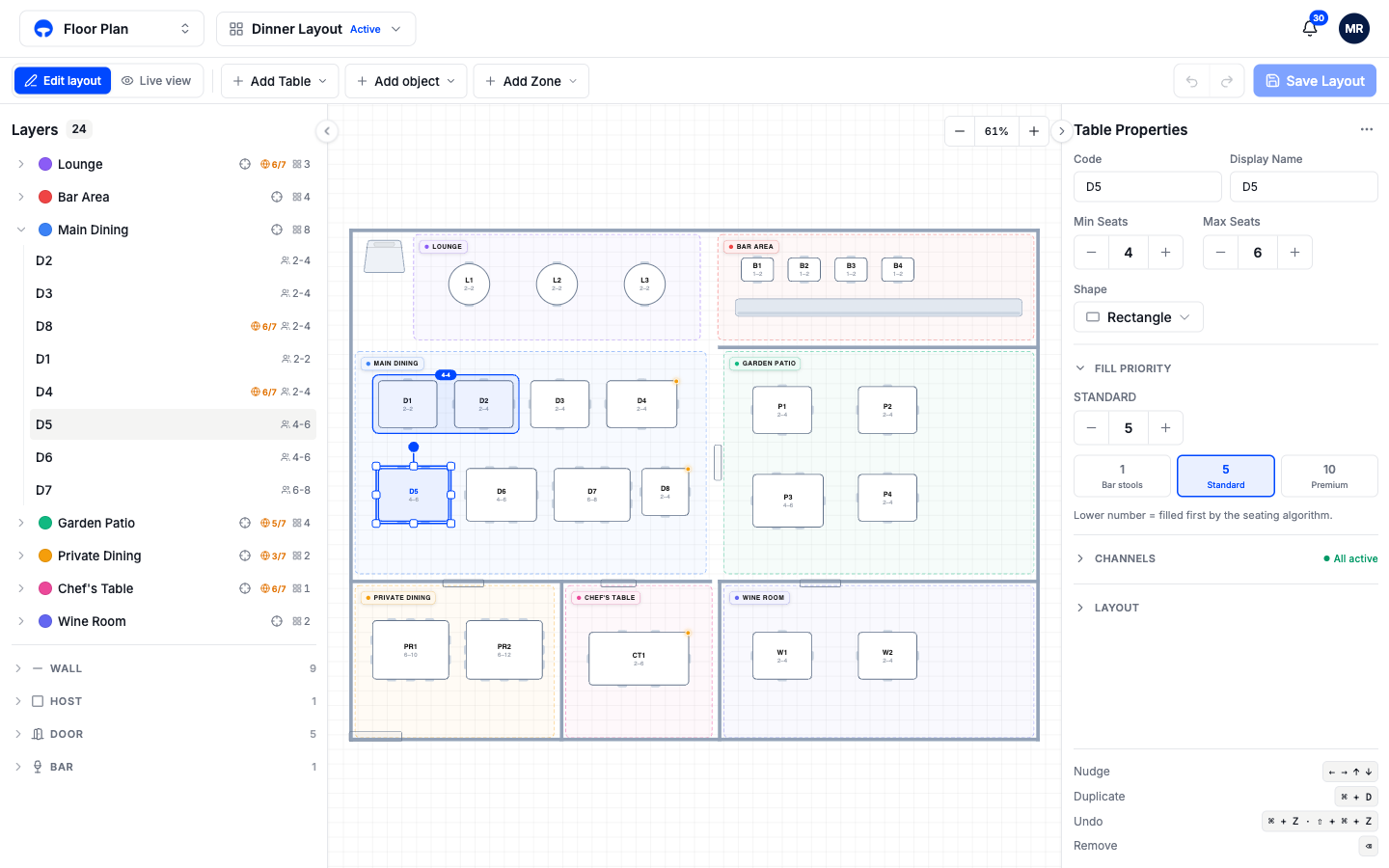
The presets cover most cases: 1 Bar stools for seats you want filled before anything else, 5 Standard for the everyday floor, 10 Premium for the window booth you save for busy nights. On a slow Tuesday the premium tables stay open; on a full Friday everything gets used.
Booking channels for one table
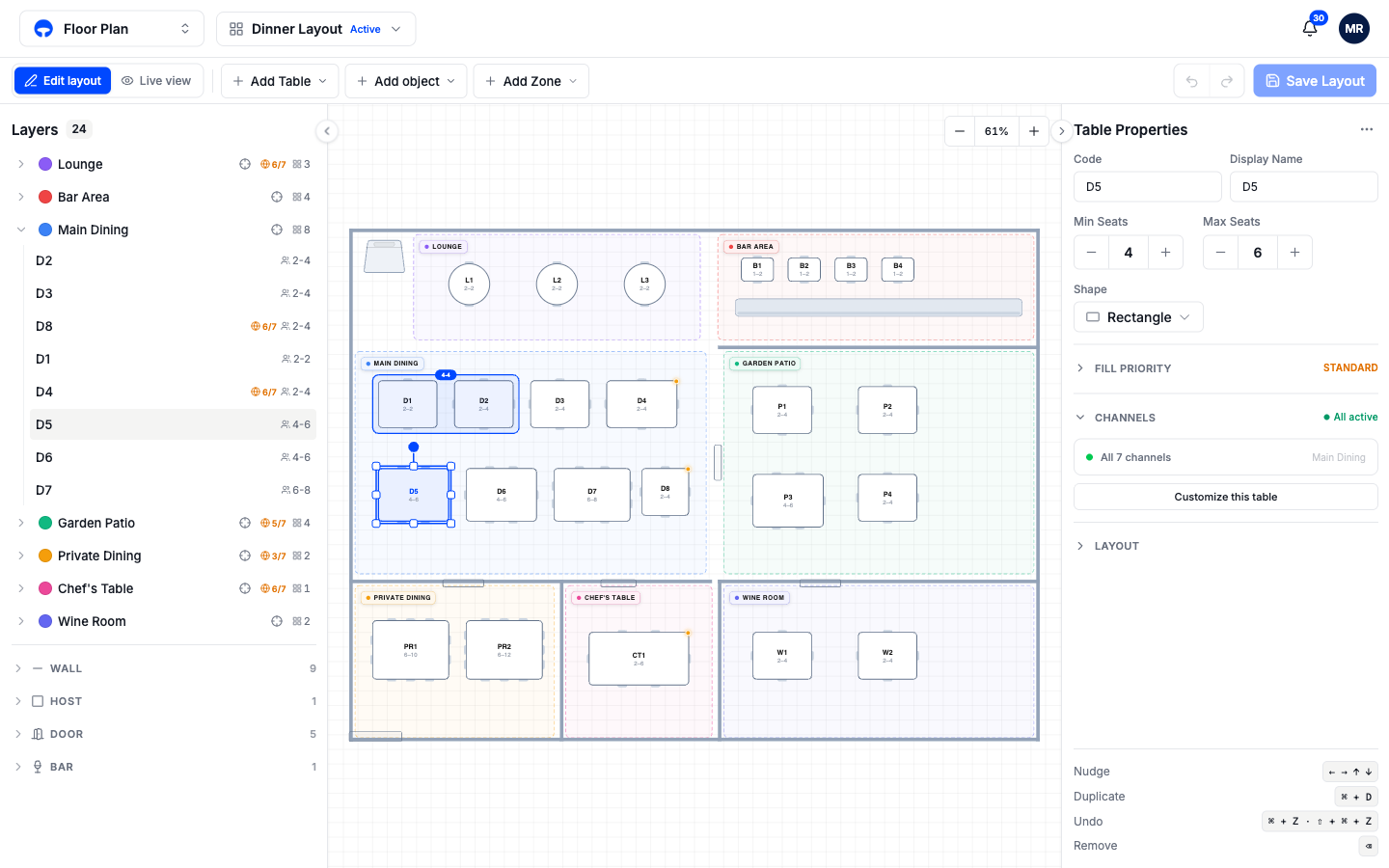
Open the Channels section to see where this table can be booked. Most tables inherit their zone's settings, shown as a single summary row; click Customize this table to override individual channels for this table only. The full picture, including zone defaults and release timers, is on Booking channels.
Position and rotation
Open the Layout section for exact numbers: X and Y position, width and height, and rotation, with a Rotate button beside the field that turns the table 45 degrees at a time. Dragging on the canvas is faster for placement; the numbers are there when two tables must align exactly. Arrow keys nudge the selected table one grid step at a time.