

Billing
Your plan, what you're using, and where the invoices live.
Billing shows your current plan, what your organization used this period, and your payment history. It is organization-wide, so one subscription covers all your venues. Open the menu at the top left, choose Settings, then click Billing.
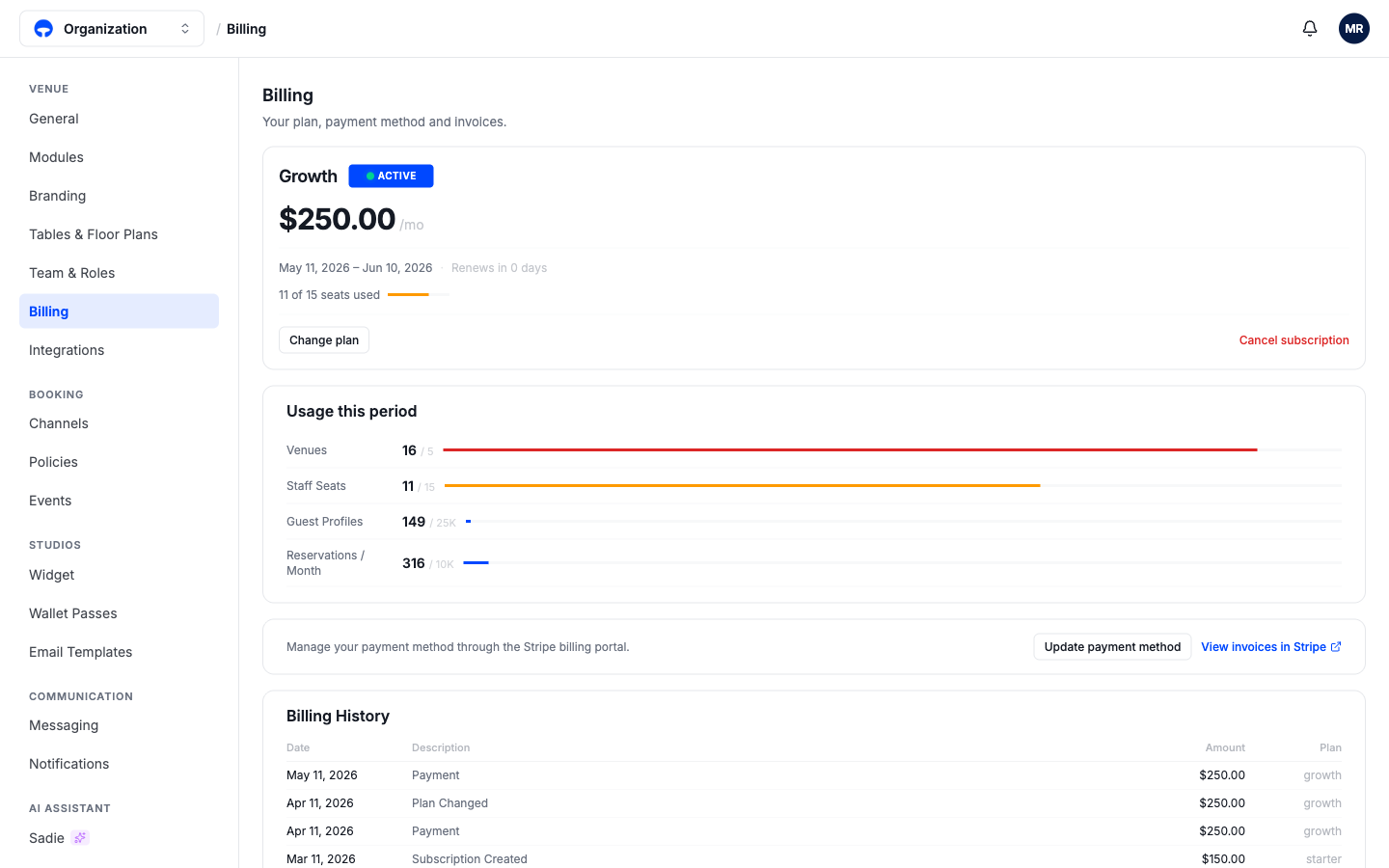
Your plan
The top card names your plan, the monthly price, the current billing period, and how many staff seats you are using. Change plan moves you up or down a tier; Cancel subscription is at the other end of the card and asks you to confirm.
Usage this period
The meters track the four things plans limit: venues, staff seats, guest profiles, and reservations per month. A bar turning amber means you are close to the limit; red means you are over it, which is the usual reason to change plan.
Payment and invoices
Payments run through Stripe, the card processor. Update payment method opens the Stripe billing portal to change your card, and View invoices in Stripe lists every invoice for download. The Billing History table at the bottom shows the same events inside Covers: payments, plan changes, and when the subscription started.