

Booking channels
Control where reservations can come from, with rules per channel, including Reserve with Google.
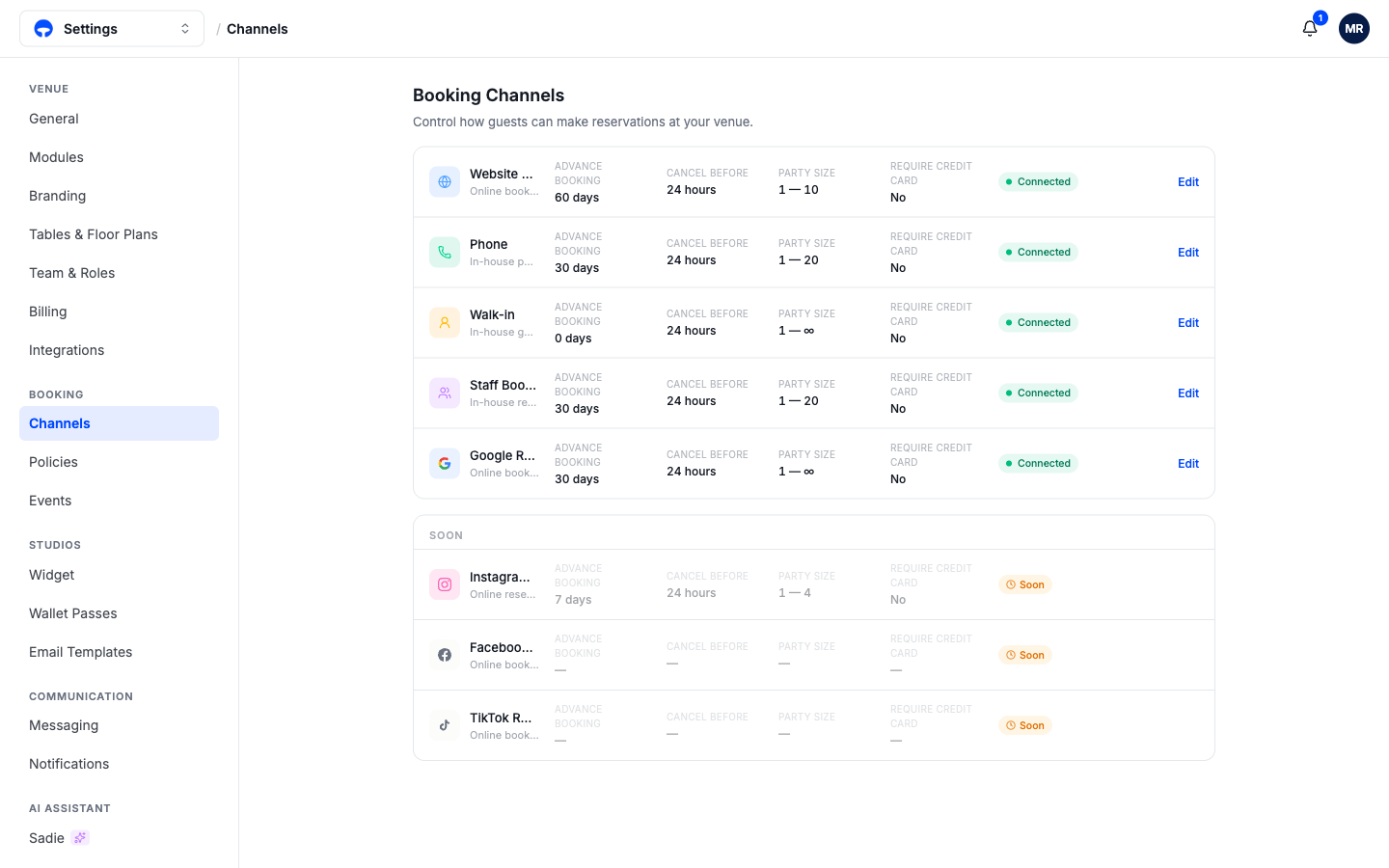
A channel is a place a reservation can come from: your website widget, the phone, a walk-in at the door, a staff member entering a booking, or Google. The Channels page lets you set different rules for each, so the website can take bookings 60 days out while phone bookings stop at 30. Open the menu at the top left, choose Settings, then click Channels.
The rules on each channel
Click Edit on a channel to change its rules:
Advance booking is how far ahead the channel accepts bookings. Walk-in sits at 0 days by definition; most venues give the website the longest window.
Cancel before is how close to the reservation a guest can still cancel through that channel.
Party size caps what the channel can book. Keeping the website at 1 to 10 while staff can enter up to 20 routes big parties through a conversation instead of an online form.
Require credit card asks guests on that channel for a card to hold the booking.
Reserve with Google
The Google channel puts a Reserve button on your Google Business Profile, so guests can book straight from Google Search and Maps without opening your website. Switching the channel on enrolls your venue; Google then shows your live availability and bookings land in Covers like any other reservation, marked with the Google logo. Your address in Settings, under General, must be complete for Google to match your venue on Maps.
What Google can see
Google only offers services that take online reservations. Walk-in-only and waitlist-only services never appear on Google, and neither do private event spaces.
Channels on the way
Instagram, Facebook, and TikTok reservations show as Soon at the bottom of the page. They switch on from this same page when they arrive.
What's next
Channel rules work together with your cancellation policies, and each table and zone also chooses which channels can book it; see Booking channels on the floor plan.