

Messaging & notifications
Set up the number your guest texts come from, and choose what your team gets alerted about.
Two settings pages cover communication: Messaging controls how Covers talks to your guests, and Notifications controls how Covers talks to you. Both live under Communication in Settings.
Set up guest messaging
Open Settings, then Messaging. A short setup walks you through four steps, with a test at the end before anything goes live to real guests.
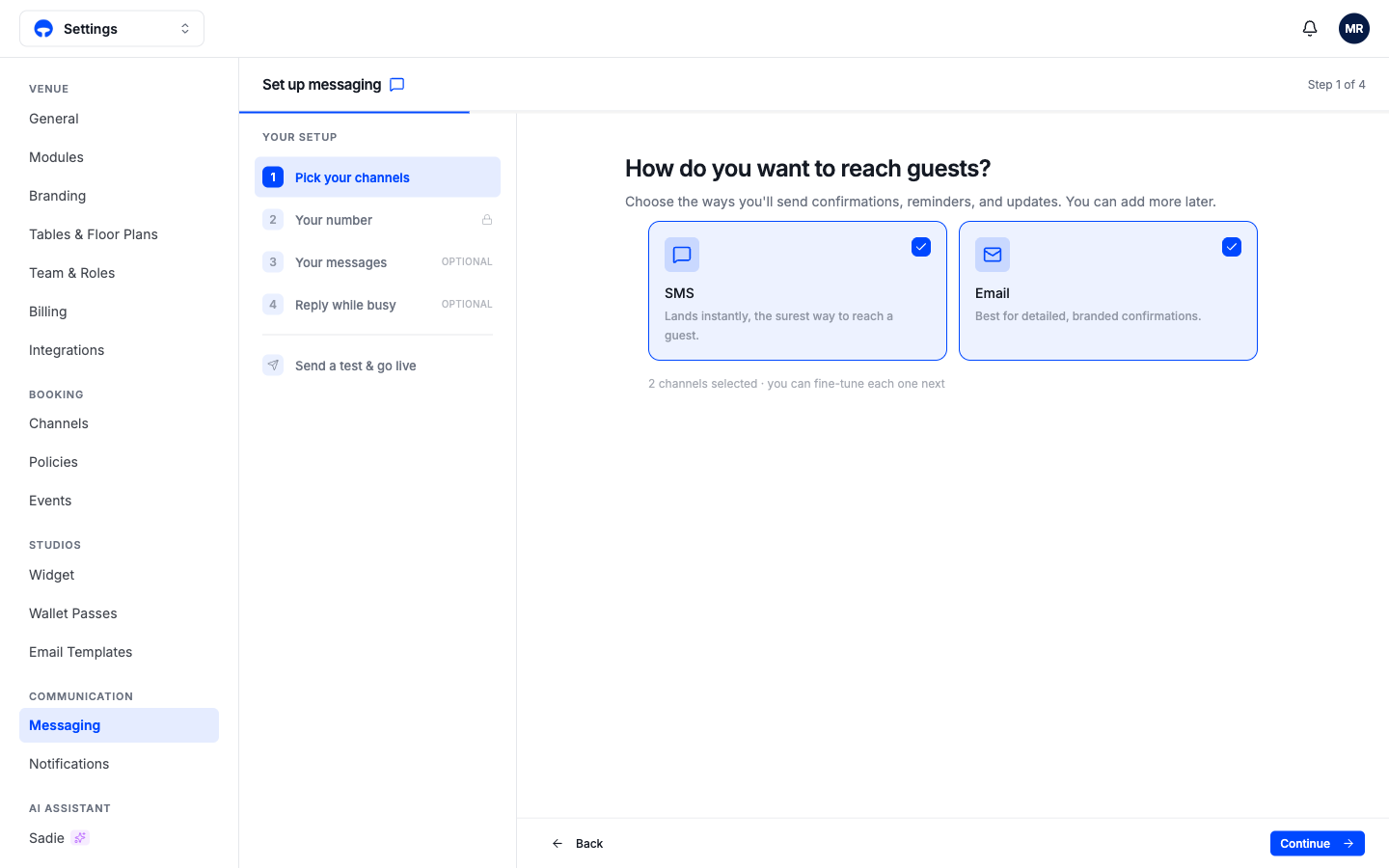
Pick your channels chooses how confirmations, reminders, and updates reach guests. SMS lands instantly and is the surest way to reach a guest; Email carries your full branding and suits detailed confirmations. Most venues run both.
Your number assigns the phone number your texts come from. This is the text sender the Go live checklist asks for, and if Sadie answers your phone, she shares this number.
Your messages and Reply while busy are optional: the first adjusts the wording of your automatic texts, the second sets what happens when a guest replies while nobody is watching the inbox.
Send a test & go live texts you first, so you read exactly what guests will get before switching it on.
Choose your alerts
Open Settings, then Notifications. These are personal; each team member sets their own, so the owner can follow cancellations while the host stand keeps only tonight's alerts on.
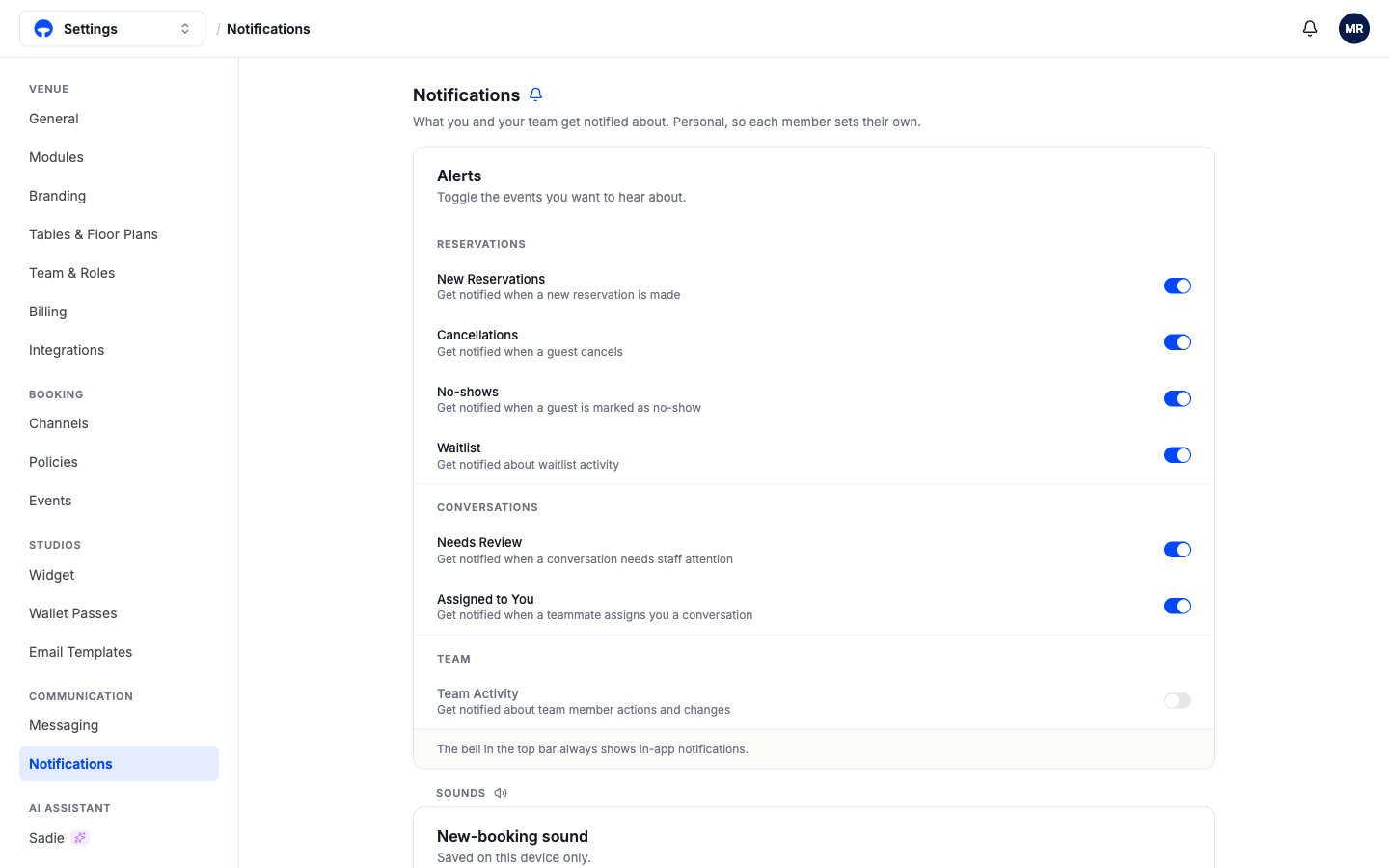
The switches group by area: Reservations (new bookings, cancellations, no-shows, waitlist activity), Conversations (a thread needs staff attention, or a teammate assigned one to you), and Team (member actions and changes). The bell in the top bar always shows in-app notifications regardless of these switches; the switches decide what pushes to your devices. Below the alerts, the new-booking sound is saved per device, so the host stand iPad can chime while your phone stays silent.