

Integrations
Connect your POS and partner apps, and manage keys for custom connections.
Integrations connects Covers to the other systems your venue runs: your point of sale, partner applications, and anything your own developers build. Open the menu at the top left, choose Settings, then click Integrations.
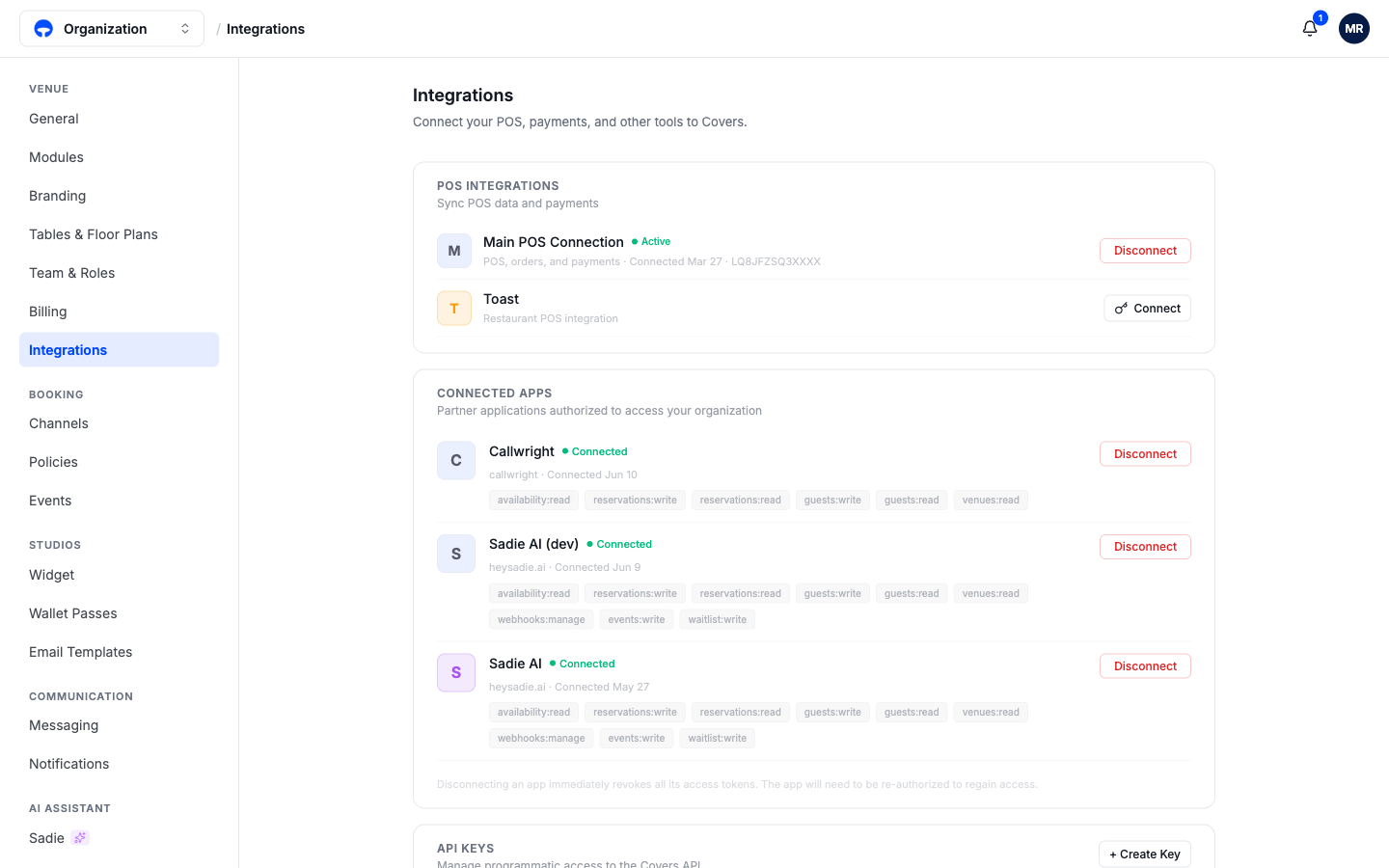
POS integrations
Connecting your point of sale lets Covers match reservations to checks, which is where spend on guest profiles and revenue analytics come from. Click Connect on your POS and follow its sign-in; a connected POS shows Active with the date it was linked. Disconnect stops the data flow without deleting anything already recorded.
Connected apps
Partner applications your organization has authorized are listed with exactly what each one can reach, as small permission tags like "reservations: read" or "guests: write". You approved these permissions when the partner first asked for access. Disconnect revokes the app's access immediately; it would need to ask again from scratch.
API keys
API keys are for custom connections your own developer or agency builds. Create Key generates one; treat it like a password, since it grants access to your organization's data. If a key leaks or a project ends, delete it here and the connection stops working at once.
Only connect apps you trust
A connected app can read or change whatever its permission tags say. If you do not recognize an app in this list, disconnect it and ask your team who added it.